Photo Active
10 things you can shoot, edit or create this month, from double exposures to winter sports and wildlife
Getty
1 | CREATIVE
A love triangle
With Valentine’s Day on the horizon this month, why not use your photography to treat a loved one to something personal with this trio of ideas from Dan Mold
It’s February and love is in the air. For many I people that means a quick trip to the petrol station to buy some flowers and chocolates, but if you’re looking for something with a more personal touch, why not take some unique photographs for your loved one that could be printed as a personal card or as an art print? Going to an extra little effort will create a unique Valentine’s gift for your loved one!
Here are three potential projects you could try, each of which will produce a special one-off image for your significant other. From light painting outdoors for a vibrant Valentine’s Day photo to two projects that can be done in the comfort of your own home, go the extra mile this year.
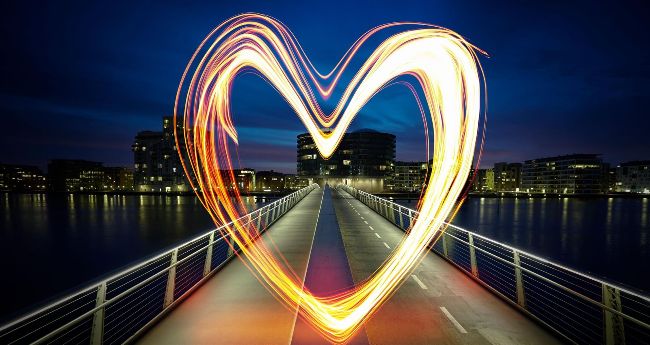
PROJECT 1: CAPTURE A LIGHT-PAINTED HEART
1
Shoot from a tripod
Set up your camera on a tripod and using Manual exposure mode, dial in the settings shown above. You’ll need a friend (or the camera’s self-timer if working alone) to write your text. Take an ‘empty frame’ first, so you have an image you can use to fill in the background inside the heart, if required, in editing afterwards.
2
Focus on a friend
Have your friend stand in the scene ready to start writing with their torch or sparkler. For pin-sharp shots, ask them to shine a torch on themselves so that you can achieve autofocus, then lock it off using manual focus.
3
Start the exposure
Now using a remote shutter release, begin the long exposure and ask your friend to start drawing a heart shape in the air. Repeat this motion a few times to get a more solid effect, as seen above.
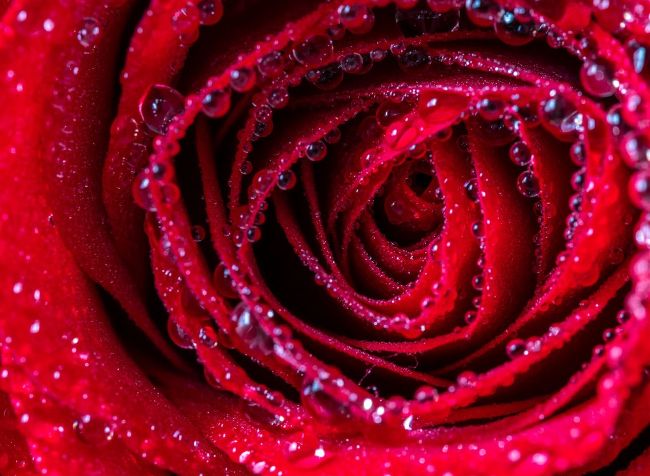
PROJECT 2: GIVE YOUR LOVED ONE A ROSE PRINT
1
Use a macro lens and reflector
To get a close-up of a red rose, we’re going to use a macro lens on a tripod. This might obscure some of the light in the shot, so we may consider using a five-in-one reflector to manipulate the natural light. These usually offer gold, silver and white sides, enabling the quality of reflected light to be changed.
Dan Mold
2
Add small droplets of water
Adding water to your flower pictures is a great way of giving them a shimmer and shine. To add lots of small water droplets, as seen on the right, you can pick up a cheap atomising spray bottle to give your flowers a light misting of water droplets – it’s an effective way of adding extra shine and eye-catching reflections. Alternatively, use a pipette to carefully place a drop of glycerin exactly where you want it to be. This will remain as a large glistening bead of liquid.
Dan Mold
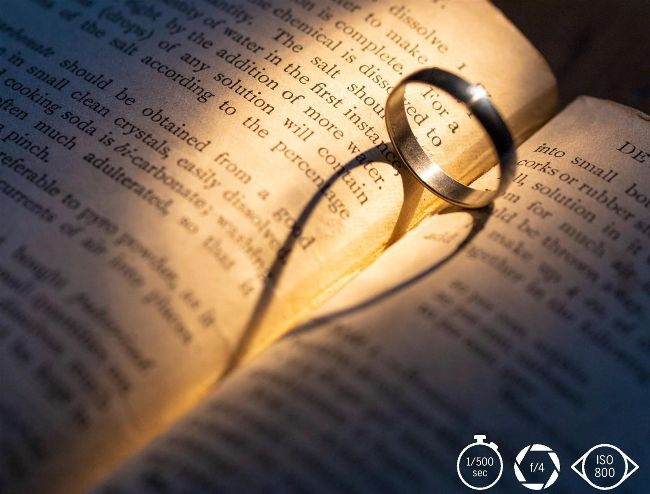
PROJECT 3: CAPTURE A LOVE HEART
When you place a ring in the right position, you can cast a ‘love heart’ shadow onto a book of your choice with a simple torch. It’s really effective –and best of all, it doesn’t require any expensive lights or studio flashes. You can compose your shot in daylight or with the lights on so that you can see your framing clearly. Dial in the settings above and focus accurately, then switch off the lights when you’re ready. Some blackout blinds can help stop external light sources from leaking in.
1
Set the scene
Open a book of your choice somewhere in the middle and place your ring on the spine near the top. We used a blob of Blu-Tack to keep it upright and made sure this was out of shot underneath the ring. We also gave the ring a quick buff with a microfibre cleaning cloth to remove any greasy fingerprints.
2
Now frame up
Compose on a tripod and lock it off once you’ve found the ideal framing. This will free up your hands to move the book and ring into the perfect position. Switch on the 10-second self-timer mode to give yourself time to get into position and cast the love heart shadow precisely where you want it to be.
TOP TIPS
Watch out for bright hotspots
Try to avoid overexposed areas in the frame. For an evenly lit scene, experiment with the angle and power of the torch, how close it is to your subject, and your exposure settings.
Use Live View to check your focus
Enter Live View mode and zoom in to see the ring in detail. Now go into Manual Focus mode and set the focus by turning the focusing ring on your lens until the ring is pin-sharp.
Light up your subject
A simple hand torch is all that’s required to cast a love heart shadow on your book. We used a MagLite, which allows you to change the focus of the light to a more targeted or wider spread.
Claire Gillo
2 | PHOTOSHOP
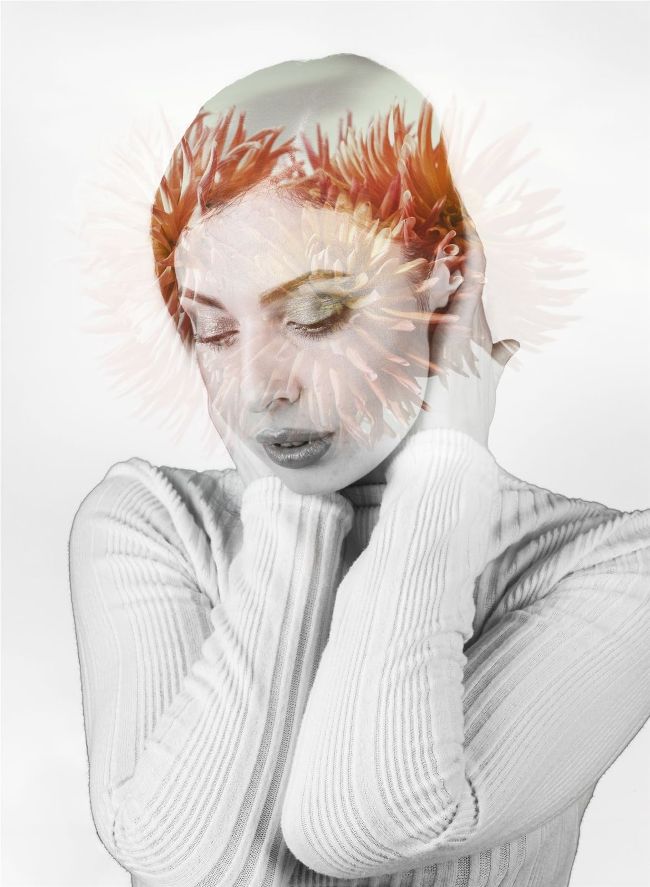
Double vision
Claire Gillo shows you how to create an easy and arty double-exposure portrait effect using Photoshop