Está viendo la página Spain versión del sitio.
Le gustaría cambiar a su sitio local?
Última edición

Essential Apple User Magazine iPhone iOS 14 Guide Edición especial

English
12 Reseñas   •  English   •   Tech & Gaming (Apple)
Only €9,99
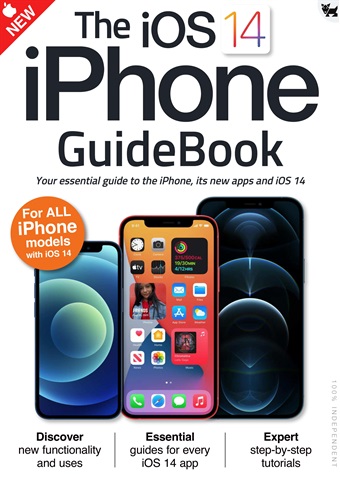
iOS 14 brought some great new features to your iPhone!
The user interface is much more compact, with Siri and phone calls now taking up much less space on the screen. There’s a great new Translate app for holding conversations in a wealth of different languages and Picture in Picture lets you continue watching your videos while you use your iPhone for other things. The Home screen has had a huge makeover, with on-screen widgets and a useful App Library and the ever-popular Messages app has had an overhaul, with pinned messages, some great new emoji designs and a revamped group messages feature.
Over the following pages we’ll show you how to get to grips with iOS 14, its apps and its features. The basics such as the keyboard, touchscreen gestures and the Home screen are covered, as are the wealth of bundled applications or apps. Then we go on to its more
advanced features like Siri, Find My and iCloud.
read more read less
Essential Apple User Preview Pages Essential Apple User Preview Pages Essential Apple User Preview Pages Essential Apple User Preview Pages Essential Apple User Preview Pages Essential Apple User Preview Pages Essential Apple User Preview Pages Essential Apple User Preview Pages

Essential Apple User

iPhone iOS 14 Guide iOS 14 brought some great new features to your iPhone! The user interface is much more compact, with Siri and phone calls now taking up much less space on the screen. There’s a great new Translate app for holding conversations in a wealth of different languages and Picture in Picture lets you continue watching your videos while you use your iPhone for other things. The Home screen has had a huge makeover, with on-screen widgets and a useful App Library and the ever-popular Messages app has had an overhaul, with pinned messages, some great new emoji designs and a revamped group messages feature. Over the following pages we’ll show you how to get to grips with iOS 14, its apps and its features. The basics such as the keyboard, touchscreen gestures and the Home screen are covered, as are the wealth of bundled applications or apps. Then we go on to its more advanced features like Siri, Find My and iCloud.


SELECCIONAR FORMATO:
Acceso instantáneo

Ofertas digitales disponibles:

Número especial digital iPhone iOS 14 Guide
 
9,99 / issue
Este número especial no está incluido en un Essential Apple User suscripción. Las suscripciones incluyen el último número de la revista y los nuevos números publicados durante el periodo de suscripción. €2,50 por número

Opciones de suscripción
Los ahorros se calculan sobre la compra comparable de números sueltos durante un periodo de suscripción anualizado y pueden variar respecto a los importes anunciados. Los cálculos son meramente ilustrativos. Las suscripciones digitales incluyen el último número y todos los números regulares publicados durante su suscripción, a menos que se indique lo contrario. El periodo elegido se renovará automáticamente a menos que se cancele en el área Mi cuenta hasta 24 horas antes del final de la suscripción actual.

Essential Apple User issue iPhone iOS 14 Guide

Essential Apple User  |  iPhone iOS 14 Guide  


iOS 14 brought some great new features to your iPhone!
The user interface is much more compact, with Siri and phone calls now taking up much less space on the screen. There’s a great new Translate app for holding conversations in a wealth of different languages and Picture in Picture lets you continue watching your videos while you use your iPhone for other things. The Home screen has had a huge makeover, with on-screen widgets and a useful App Library and the ever-popular Messages app has had an overhaul, with pinned messages, some great new emoji designs and a revamped group messages feature.
Over the following pages we’ll show you how to get to grips with iOS 14, its apps and its features. The basics such as the keyboard, touchscreen gestures and the Home screen are covered, as are the wealth of bundled applications or apps. Then we go on to its more
advanced features like Siri, Find My and iCloud.
Seguir leyendo leer menos
Exclusive to digital. Essential AppleUser Magazine brings you the very latest news, rumours, reviews and technical help for your Apple iPhone, iPad and the iOS along with Mac's, MacBooks, macOS, Apple Watch and all the accessories. This is the publication you will need to keep on top of the must know information and technical help from our team of Apple experts for your Mac, MacBook, iPhone, iPad, Apple Watch, HomePod and Apple TV hardware. If you want to stay informed with everything Apple click subscribe. 100% unofficial.

omo abonado recibirá las siguientes ventajas:


•  Un descuento sobre el PVP de su revista
•  Las nuevas ediciones se envían a tu dispositivo el día de su lanzamiento
•  Nunca te perderás un número
•  Estás protegido de las subidas de precios que puedan producirse más adelante en el año

Recibirás 6 problemas durante un año Essential Apple User suscripción a la revista.

Nota: Las ediciones digitales no incluyen los artículos de portada ni los suplementos que encontraría en los ejemplares impresos.

Su compra aquí en Pocketmags.com puede leerse en cualquiera de las siguientes plataformas.


Puedes leer aquí en el sitio web o descargar la aplicación para tu plataforma, sólo recuerda iniciar sesión con tu nombre de usuario y contraseña de Pocketmags.

Apple Pocketmags Online Pocketmags Google Pocketmags
La aplicación Pocketmags funciona en todos los dispositivos iPad y iPhone con iOS 13.0 o superior, Android 8.0 o superior y Fire Tablet (Gen 3) o superior. Nuestro lector web funciona con cualquier navegador compatible con HTML5, para PC y Mac recomendamos Chrome o Firefox.

Para iOS recomendamos cualquier dispositivo que pueda ejecutar el último iOS para un mejor rendimiento y estabilidad. Los modelos anteriores con especificaciones de procesador y RAM inferiores pueden experimentar una renderización de páginas más lenta y fallos ocasionales de la aplicación que están fuera de nuestro control.
4,5
/5
Basado en 12 Opiniones de los clientes
5
8
4
2
3
2
2
0
1
0
Ver comentarios

Highly interesting

Informative for those customers of Apple Revisado 25 abril 2022

Very helpful

All the details needed to begin using Apple products Revisado 17 julio 2019

Artículos de este número


A continuación encontrará una selección de artículos en Essential Apple User iPhone iOS 14 Guide.

Chat
X
Soporte Pocketmags