Essential Apple User | iPhone iOS 14 Guide
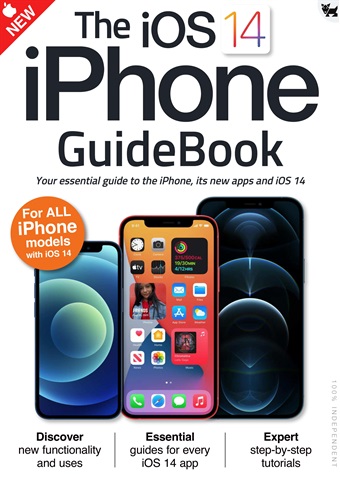
iOS 14 brought some great new features to your iPhone!
The user interface is much more compact, with Siri and phone calls now taking up much less space on the screen. There’s a great new Translate app for holding conversations in a wealth of different languages and Picture in Picture lets you continue watching your videos while you use your iPhone for other things. The Home screen has had a huge makeover, with on-screen widgets and a useful App Library and the ever-popular Messages app has had an overhaul, with pinned messages, some great new emoji designs and a revamped group messages feature.
Over the following pages we’ll show you how to get to grips with iOS 14, its apps and its features. The basics such as the keyboard, touchscreen gestures and the Home screen are covered, as are the wealth of bundled applications or apps. Then we go on to its more
advanced features like Siri, Find My and iCloud.
ler mais
ler menos
Como subscritor, receberá as seguintes vantagens
• Um desconto no PVP da sua revista
• Novas edições entregues no seu dispositivo no dia do lançamento
• Nunca perderá uma edição
• Está protegido contra aumentos de preços que possam ocorrer no final do ano
Receberá 6 edições durante um ano Essential Apple User assinatura da revista.
Nota: As edições digitais não incluem os artigos de capa ou os suplementos que se encontram nos exemplares impressos.
Artigos desta edição
Segue-se uma seleção de artigos em Essential Apple User iPhone iOS 14 Guide.