SYSTEMD-ANALYZE
System boot speeds
While Shashank Sharma doesn’t much care for cars that can go 0-60 in six seconds or less, he does expect his distro to boot up in no time at all.

OUR EXPERT
Shashank Sharma is a trial lawyer in Delhi and an avid Arch user. He’s always on the hunt for geeky memorabilia.
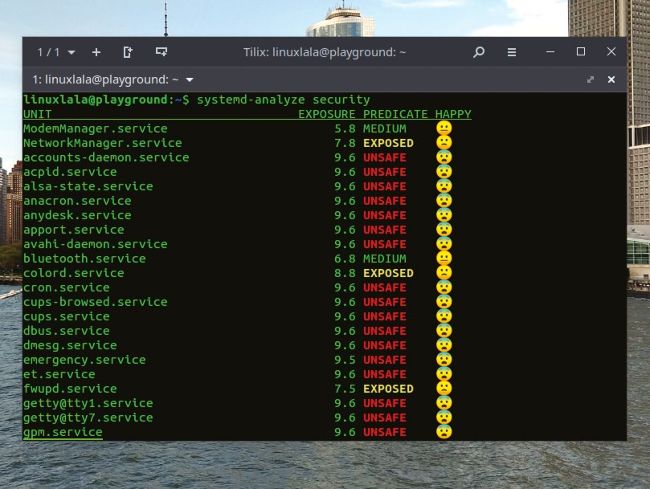
The systemd-analyze security command can be used to examine the security and sandboxing settings of the different services.
A ll applications and graphical environments are now easily available for just about all Linux distributions. In those instances when they’re not offered out of the box, the distribution provides easy mechanisms to install them using software repositories. This is why there’s little to differentiate between any two distributions. However, the one area where distributions still fiercely compete with one another is performance: the optimum use of available system resources to boot you to the desktop in the least amount of time possible.
Almost all major Linux distributions now use systemd as the underlying init system. Unlike its peers such as System V, systemd is a software suite comprising various daemons and other system components and utilities. These include systemctl, which can be used to start/ stop or enable/disable a service as well as systemdanalyze, which can be used to study boot-up performance statistics. If you find your distribution taking far longer to boot than what’s advertised for the same specs, looking at boot statistics might reveal the bottleneck, and help you speed up the process.