OPENSTREETMAP
Expand your use of open mapping
Marco Fioretti concludes his tour of the OpenStreetMap world, showing how vast and open to everybody it is.
Part Three!
Don’t miss next issue, subscribe on page 16!
OUR EXPERT
Marco Fioretti is a long-time open source trainer and writer, and an aspiring polymath, writing about all things digital at https:// mfioretti.com and https: mfioretti. substack.com.
By its open nature OpenStreetMap (OSM) B offers a vast, interesting and powerful range of mapping tools. We’ve taken a dive into the basics of editing, now we’re going to take a tour of eight OSM-related tools that make it possible for anybody, regardless of their digital skills, to navigate or map any place, or otherwise use its maps, in any way they need.
OSM in your pocket
By now, you already know how to contribute to OSM from any desktop with iD or JOSM, and there are many other similar programs to choose from at https://wiki.openstreetmap.org/wiki/Editors(see Quick Tip, below-left). What about using or editing OSM on the road? Of course, map editing is much faster with a large screen and a real keyboard and mouse, but even a smartphone can do a lot, and if you only need to change or add a few details of a place, it makes much more sense to do it right away while you’re there, doesn’t it? Besides, mobile apps are the only way to use OSM on the road, as a navigation tool.
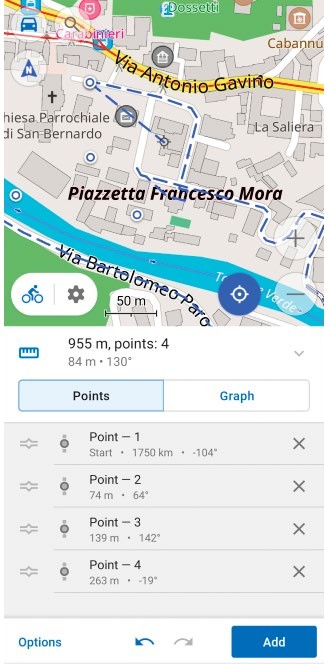
The OsmAnd editor and navigator is a great choice for anyone who wants to contribute to OpenStreetMap at any point, or find their way somewhere.
CREDIT: OpenStreetMap
At the time of writing, the best compromise between features and user-friendliness on the go seems to be the OsmAnd app (https://osmand.net), available for both Android and iOS in two versions, one paid and one free.
Both versions work as an OSM editor and as a GPS navigator that, after downloading the map of the area you plan to visit, can lead you there when you’re offline, and without telling anyone where you went.
Besides showing your position and all the features of the surrounding terrain, the OsmAnd navigator can align the map according to the compass and overlay on it other maps or GPS tracks that you may want to see.
The software can also provide detailed directions to your destination, on screen or with recorded or synthesised voices that also warn you of stop signs or speed limits. You can search for specific places by location or category, activate a dedicated navigation mode for bicycles and pedestrians, check public transport stops or line names, and even record your itinerary as a GPS track.