GIMP
Improve your shots using optical filters
Mike Bedford looks at the benefits of photographic filters and how to emulate them – but some effects can only be achieved optically.
Credit: https://www.gimp.org
OUR EXPERT
Mike Bedford Mike does have a few real optical filters which he uses to effect, but prefers the digital alternative whenever that’s a sensible option.
QUICK TIP
One of the most extreme optical filters removes all visible light, allowing only infrared to pass through to the camera’s sensor. This provides the option of infrared photography which has been described as otherworldly or even spooky.
If you want to know more, see our tutorial in LXF248.
H ere we’re going to be looking at photographic filters – but first, a word of explanation. The term ‘filter’ has taken on a different meaning in recent years. If our quick Google search is representative, a filter provides a means of digitally altering a photo. Commonly requiring little more than a single click, such filters can be used for artistic effect or for pure entertainment.
Before the advent of digital photography, though, a filter was a device that screwed onto the front of the camera’s lens, and applied some effect optically. These effects were usually not nearly as extreme as those offered by some digital filters, but enabled film-based photographers to improve their work substantially.
What’s more, the benefits of optical filters or their digital equivalents can be just as important today.
In this tutorial we’re considering only those effects that can be achieved optically, and so we’ve excluded the more bizarre effects that really don’t need much in the way of instruction. Paradoxically, using filters to achieve more subtle effects often requires more understanding, but those more refined effects often make the difference between a photo that’s just okay and one that’s really good. What’s more, in many cases, a really good photo is often one that doesn’t appear to have been edited or filtered in any way.
Optical or digital?
First of all, we need to address the question of which is best: an optical or digital filter. As a general rule, we advise against applying any effect at the time you take the photo, and this applies not only to screw-on optical filters but also to in-camera or in-phone effects such as black and white or sepia conversion. The reasoning is simple. If your original photo has some effect applied, it will usually be difficult or impossible to remove that effect later by photo editing if you decide you don’t like the result. If you avoid applying any effects while you’re shooting, though, you have the option of applying whatever effects you like afterwards, while always keeping the original intact.
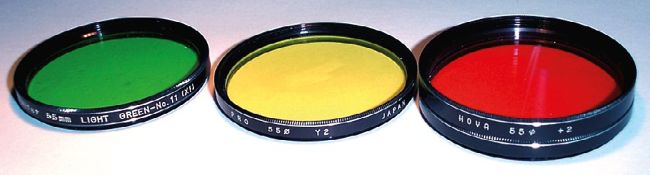
All filters were once circles of coloured glass and, although some of these still have a place, most can be emulated digitally.
CREDIT: Kallemax,
https://commons.wikimedia.
org/wiki/File:55mm_optical_filters.jpg