Answers
Got a burning question about open source or the kernel? Whatever your level, email it to answers@linuxformat.com

Neil Bothwick counts 0s and 1s to try and get to sleep at night.
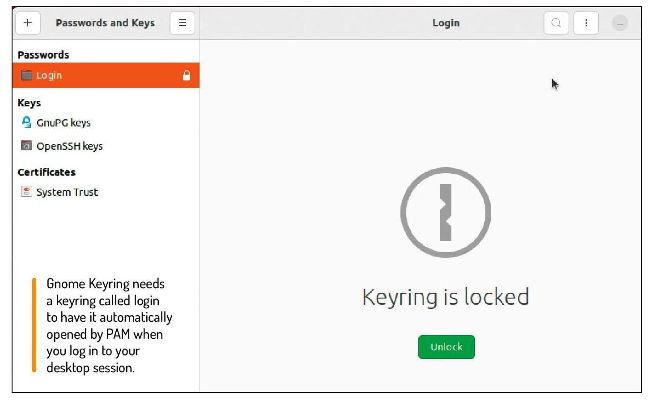
Gnome Keyring needs a keyring called login to have it automatically opened by PAM when you log in to your desktop session.
Q Beyond LFS
You did an excellent couple of articles on Linux From Scratch (LXF286 and LXF287). It is a great project. Very educational. However I came a cropper when I progressed to Beyond Linux From Scratch. I cannot get Gnome Keyring to load without asking for a password every time (Evolution is using this). I have this line in my .config/openbox/environment file to start it:
eval $(gnome-keyring-daemon)
From extensive ‘Quacking’, I have tried all sorts of tricks with PAM settings and so on. I am using the same password on the keyring as my login password.
Francis Greaves
A In order for Gnome Keyring to unlock automatically, it has to be started by PAM. First you have to make sure PAM is built with the correct options, which are --enable-pam and --with-pamdir=/lib64/security. The directory passed to the latter option is the one containing the PAM libraries, such as pam_unix.so. Then you need to configure PAM accordingly. Edit /etc/pam.d/gdm to add
auth optional pam_gnome_
keyring.so
to the end of the auth block and
session optional pam_gnome_
keyring.so
auto_start
to the end of the session block. In the file /etc/pam.d/gdm, add:
auth optional pam_gnome_
keyring.so
and:
session optional pam_gnome_
keyring.so
auto_start
to the auth and session blocks respectively. Finally, add:
password optional pam_gnome_keyring. so
to the password block of /etc/pam.d/ passwd. This starts the
Gnome
Keyring
daemon and opens a keyring called login. If the keyring does not exist, it is created, with the same password as your user. When you open any other keyring, you still have to give its password, but you are given the option to save this to the login keyring. Then the other keyrings can be automatically unlocked whenever they are needed.
Alternatively, you could store everything in the login keyring, which is a simpler approach if you do not already have data stored in other keyrings.
Q Nice but not dim
We have installed Ubuntu 22.04.2 (with updates activated) on to my wife’s Apple iMac MC812X/A. It works a treat, but we cannot control the screen brightness – it is always at full. We would like to control it either from the keyboard or via a shortcut.