Take control of the menu bar
End the menu bar nightmare once and for all with Bartender 5
IT WILL TAKE 10 minutes
YOU WILL LEARN To use Bartender 5 to reorder and reorganise your menu bar
YOU’LL NEED macOS Sonoma or later, Bartender 5 ($16, about £15, macbartender.com)
Genius tip!
If you can’t find an item, Ctrl-click the ‘…’ button to open a search bar. You can pick from a list of hidden items or search by name.
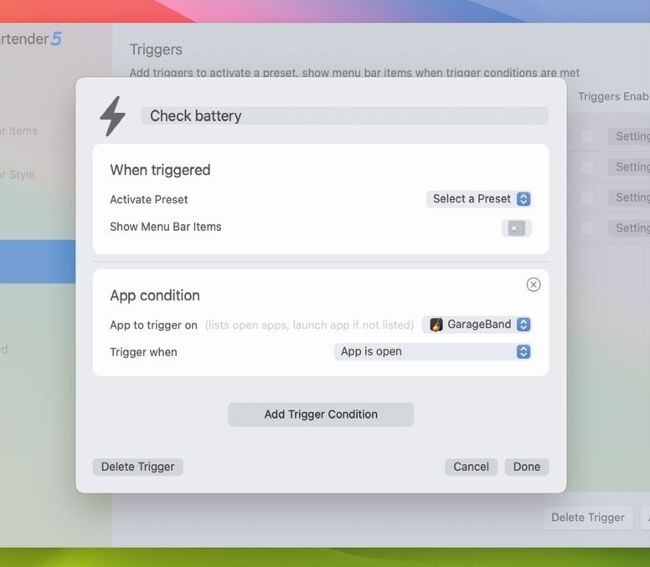
Bartender 5 can be configured to show menu bar items when a certain app is open, when you visit a location, or when one of several other conditions are met.
Your Mac’s menu bar is a good place for apps to store icons providing quick access to their settings, but it can quickly fill up with macOS features and third-party apps. When that happens, your menu bar goes from ordered neatness to unruly bedlam, overflowing with tiny icons and with no way to hide them. The problem is compounded if your Mac has a notch, which can end up obscuring icons if they get pushed behind it.