DxO PhotoLab 4
Reduce the presence of noise and lens distortion
AI enables auto features but more experienced pic editors can choose less automation
> £115 > FROM dxo.com > NEEDS DeepPRIME AI, selective adjustment tools, watermarking feature, support for multiple Raw formats
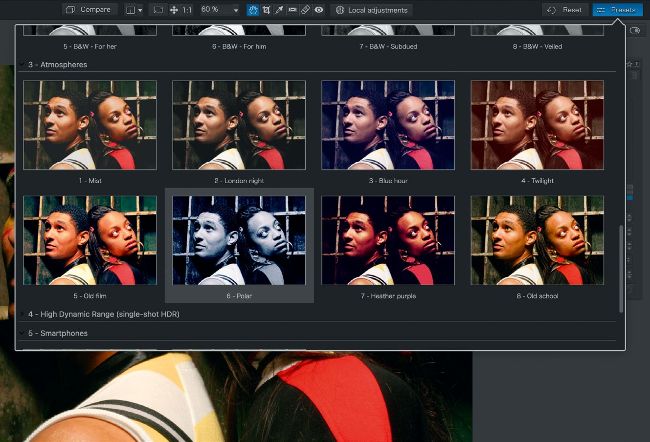
To quickly adjust your Raw or JPEG files, browse though a themed collection of one-click presets.
When shooting in low light, your camera can use a high ISO setting to make it more sensitive to light. However, this can increase the presence of luminance and colour noise in the captured photo. Photo-fixing apps such as Photoshop and Lightroom use lens profiles to help smooth out noise and counteract distortion. What gives PhotoLab 4 the edge is the application of DxO DeepPRIME AI tech.
The app’s AI has been exposed to millions of images produced by different camera and lens models. This enables PhotoLab to learn how to smooth out noise without sacrificing detail, reduce the presence of colour fringing (chromatic aberration), and more. We opened a Canon Raw file that had been captured using a high ISO of 3,200. When viewed at 100% we could see garish specs of colour noise; after a click on the Denoising Technologies panel’s DeepPRIME button, the colour noise vanished. Luminance noise was also smoothed out without losing key details.