APPLE SKILLS iOS
Make sense of Notes
Get all your handy lists and ideas more organised on iOS
IT WILL TAKE 10 minutes
YOU WILL LEARN How to use tags and Smart Folders in Notes
YOU’LL NEED iOS 15 or later, Apple Notes
Genius tip!
Tags also work on iPad. There, you don’t have to type out a tag – you can use an Apple Pencil to draw a #and handwrite the tag name.
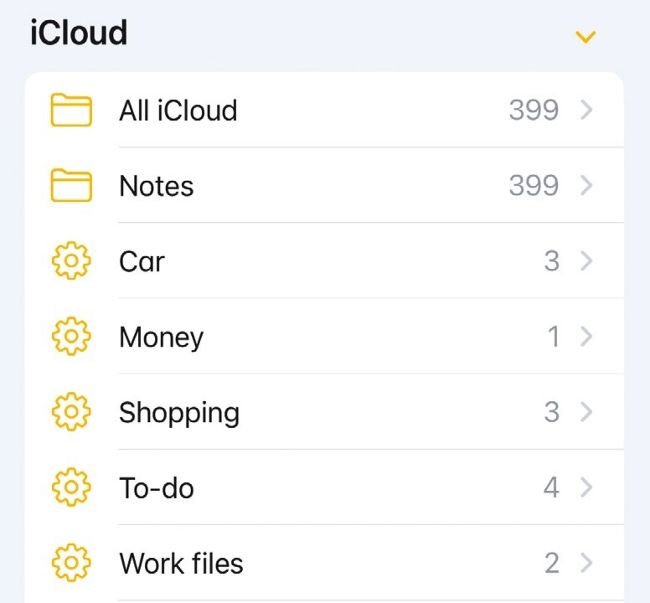
You can identify Smart Folders by the gear icon they use when viewed in the main Folders screen.
Notes is a great app, but it’s very easy to lose your work amid a plethora of lists, ramblings and jotted half-ideas. You can search for notes, yes, but what if you can’t remember exactly what you need? The answer is to use tags (#) and Smart Folders. In combination, these tools make finding and organising your notes a cinch. In fact, Smart Folders do all the organising for you, shouldering the burden so you don’t have to.