GB
  
You are currently viewing the United Kingdom version of the site.
Would you like to switch to your local site?
11 MIN READ TIME

Master Apple Music: Part 1

Streaming

In the first part of our guide to Apple Music, we take a look at how to access your favorite tunes from all your Apple devices

Image credits: Apple Inc.

APPLE MUSIC WAS launched in 2015, but the company’s music efforts go as far back as 2001 with the debut of the iPod.

Back in 2001, Apple was known only as a computer company, a far cry from the behemoth that it’s recognized as today. But the iPod changed everything, transforming Apple into a media company. iTunes was arguably as much a big deal as the media player, enabling users to add and manage their music so they could sync it to their iPod.

As the years passed, the app became bloated, with podcasts and TV shows being added in 2005, followed by movies in 2006. Once the App Store debuted in 2008, you could download and manage apps with your iPhone via iTunes, further adding to the bloat. It eventually got to the point where splitting up the features offered in iTunes was desperately needed. But it wasn’t until Apple’s buyout of Beats in 2014 that the writing was on the wall. In 2015, Apple Music was announced, replacing iTunes entirely, and focusing only on music.

The app comes pre–installed on your iPhone, iPad, Mac and more, with your library automatically synced across your devices without having to do anything yourself.

However, there are a bunch of features you may be unaware of. To help, we’ve split our Apple Music special into two parts — this one will focus on streaming, and the second (in #ML229) will involve importing and managing your collection.

Discover Apple Music

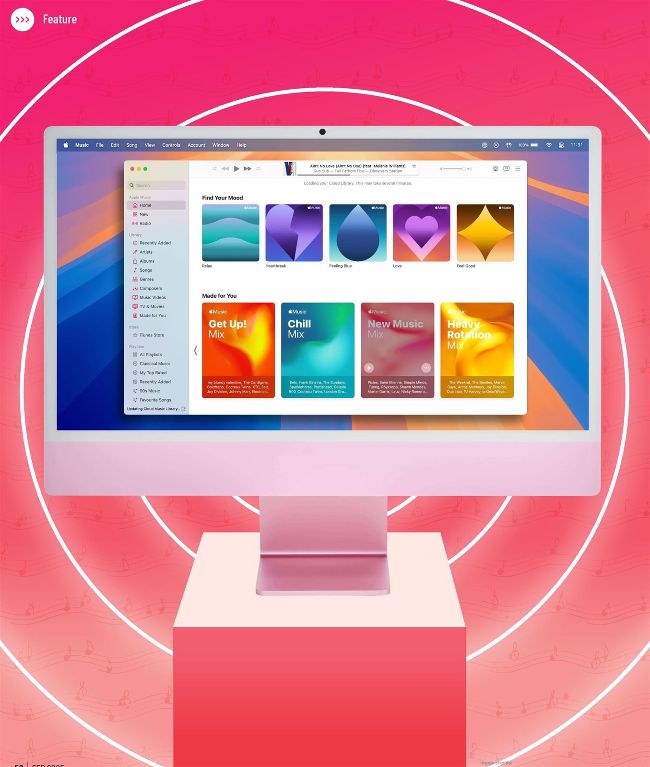
Meet Apple Music — the comprehensive replacement to iTunes

LTHOUGH APPLE MUSIC may look identical to iTunes at first glance, there’s so much that’s different under the hood.

Apple Music doesn’t just offer the ability to play your music — you can discover new artists through Radio, sing tracks by karaoke via the Apple Music Sing feature, and sync your existing library so your music collection is available across all of your Apple devices. There’s so much on offer we’ve split up Apple Music’s features into sections to take you step–by–step through all of them.

Unlock this article and much more with
You can enjoy:
Enjoy this edition in full
Instant access to 600+ titles
Thousands of back issues
No contract or commitment
Try for 99p
SUBSCRIBE NOW
30 day trial, then just £9.99 / month. Cancel anytime. New subscribers only.


Learn more
Pocketmags Plus
Pocketmags Plus

This article is from...


View Issues
Mac|Life
February 2025
VIEW IN STORE

Other Articles in this Issue


START
THE POWER OF FREE
WHETHER YOU’VE BEEN lucky enough to get
Best apps and games of 2024
Apple editors name annual App Store Awards winners
> Smart devices at risk?
FTC finds 89% surveyed don’t confirm support
> Stop texting, FBI warns
IN LIGHT OF recent data breaches and ongoing
News in brief
A bite of the Apple
Apple in 2025
Apple looks set to have a very strong year with lots of software and hardware to enjoy
> THE SHIFT
JOHN–ANTHONY DISOTTO Will 2025 be the year that Apple Intelligence becomes a key reason to buy an iPhone, not just a nice–to–have extra?
FEATURES
BEST FREE APPS
Great ways to get more from all your Apple gear
Return of the MacBook
It has been nearly 10 years since Apple revolutionized portable Macs. Is it time for a comeback?
CREATE
Manage your iCloud Drive
When your Mac is tight for space, let the cloud storage do the heavy lifting
Use Calendar and Reminders
Combine the power of Calendar and Reminders for extra organization
Customize the menu bar
Is your menu bar a mess? Then it’s time to tidy up with Hidden Bar
Create party invites
Produce eye–catching, personalized invitations and gather your friends
Master Camera Control
Use the iPhone 16’s physical button to adjust a range of camera settings
Improve movie sound quality
Use iPhone 16’s Audio Mix tools to improve your production values
Master Reader & more in Safari
Clean up websites for easier reading
Customize the Control Center
Easy access to superpower functions
Thunderbolt 5
Let’s get up to speed with Apple’s next–gen connectivity standard
ASK
ASK
TECH SUPPORT & TECHSPLANATIONS
Networking
We help to solve your Wi-Fi woes and connection conundrums
macOS
Shine a spotlight on the solutions to your most irritating Mac problems
REVIEWS
reMarkable Paper Pro
Better in every way — except the price
Marshall Major V
Iconic on–ear headphones with incredible battery life
SCHiM
A shadow of one’s self progressing underneath the cover of darkness
BenQ MA320U
Ideal for using your Mac notebook as a desktop
A Little to the Left
Puzzles to keep your brain neat and tidy
Final Cut Pro 11
Get up to speed on the video editor’s powerful new tools
Ultimate Ears Everboom
Rugged, weatherproof wireless speaker
From Eva with Green
A pretty, peaceful take on pinball
Best of the best
Can’t find the hardware or app you’re looking for in our reviews section? Then check in here — we’ve highlighted the best in every major category, as voted for by us
Chat
X
Pocketmags Support