DOCTOR
THIS MONTH THE DOCTOR TACKLES...
> Dead PC?
> Win11 update error
> TPM 2.0 upgrade
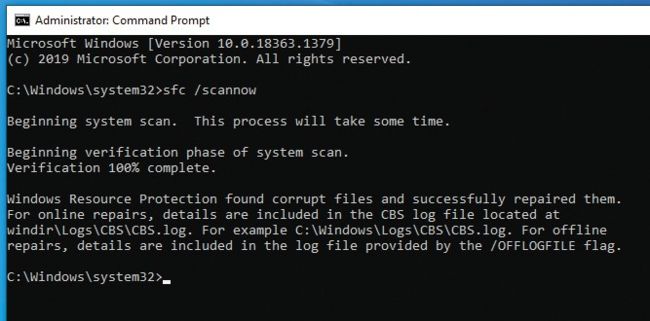
Try running SFC to fix update issues.
© MICROSOFT
PC won’t post to BIOS
I’ve had my computer since 2013: Intel i5-4670K, Gigabyte GA-Z87X-UDH3, 16GB Corsair Vengeance DDR3 1600MHz RAM (two 8GB sticks), housed in a Thermaltake case and powered by a CX Series 80
Plus Bronze CPU. When I try to boot, the PC turns on for about two seconds, then turns off and tries to reboot without success. I can’t even get into the BIOS.
I’ve switched out the power supply, tried only one stick of memory, and switched out the CPU cooler to no avail. I suspect the motherboard is at fault, but nothing obvious shows on the board. Your advice would be appreciated.
—Paul LoGrasso
THE DOCTOR RESPONDS: Assuming you’ve already stripped the machine back to its core—booting with all non-essential external peripherals and internal components (including drives and expansion cards) disconnected, the lack of any LED debug codes to offer even a hint of what might be going wrong does suggest the motherboard has reached the end of its life.
You could try dismantling and rebuilding from scratch. This would enable you to inspect each component and put them back in place. Make sure the case is clean and, after rebuilding the minimum required to boot, try again. It’s a long shot, but it may fix problems caused by chip creep, loose screws (like short circuits), and other mechanical faults.
Windows Update error