DOCTOR
THIS MONTH THE DOCTOR TACKLES...
>Random Freezes
>Compatible Batteries
>COD: Warzone Crash
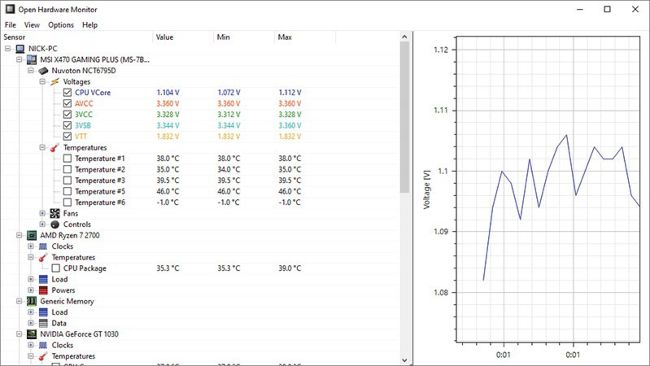
Open Hardware Monitor tracks all your PC’s sensors.
Random Freezes
I have a slim form factor build: AMD Ryzen 2700, 8GB Team T-Force Delta RGB 3,000MHz RAM, a single PNY factory overclocked XLR8 RTX 2060, 250GB Samsung 860 EVO SSD, and 2TB Hitachi hard drive. They’re connected to an ASUS ROG STRIX B450-F motherboard, which is stuffed in a Thermaltake Core G3 and connected to a Dell P1914S.
Recently my PC started acting up. Sometimes if I leave it on, the entire thing freezes— mouse, keyboard, and even the power switch become non-responsive. The only solution is to switch the power supply off and on, then reboot. It may be the drivers, but I have an issue installing them—what do I do with the compressed folder that was downloaded? How do I get my other drivers?
I also tried resetting my motherboard settings, but that brings the RAM speed down to 2,400MHz. I’ve not had any BSODs, nor has WebDiscover invaded my PC, although it got onto my family’s devices (all fixed, however). Could it be the temps?
–Rector-Stingray
THE DOCTOR RESPONDS: The random, unexplained computer freeze is the Doc’s worst nightmare when it comes to troubleshooting. Where do we start with this? Let’s open with a question about your PSU, which you didn’t include in your spec. What wattage is it? Anything 500W or less isn’t sufficient to power your PC’s spec, so if you’ve tried to get by with a lower-wattage PSU you should upgrade to 600W as a comfortable minimum, or 750W+ if you can afford the premium that goes with the small form factor PSU your case demands.