GAME OVER
FOR GAMING PCs?
If you’re looking for the ultimate gaming experience, does it still make sense to invest heavily in hardware? We look at the alternatives
–STUART ANDREWS, BARRY COLLINS, TIM DANTON
© GETTY IMAGES
HOLD ON! Before you splash out on a gaming PC, it’s important to think about what you really need. Gamers have never had more options, be that traditional games consoles, Nintendo’s Switch (and rivals), or cloud-gaming services.
This article isn’t here to dissuade you from buying a $4,000 gaming PC, if that’s what you want.
But we would encourage you to think carefully and read about all your options before you jump in.
That’s why we have analyzed what each sector has to offer. Whether it’s Chromebooks, laptops, mini PCs, or towering desktop monsters, by the end you should know where to invest your money.
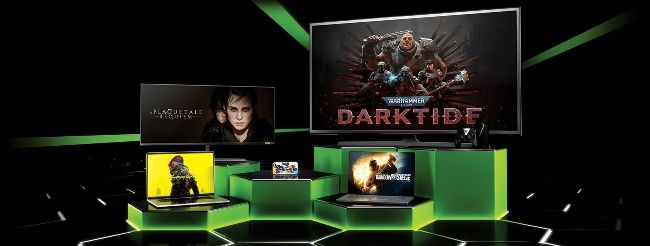
GeForce Now Ultimate lets you stream games in 4K at 120fps.
© GEFORCE
You can largely brush aside concerns about how gutsy your hardware is if you opt for cloud gaming. Largely, but not entirely.
The current pinnacle of cloud gaming performance comes from Nvidia GeForce Now’s Ultimate tier. On that plan, you can stream games in 4K at 120fps on either PC or Mac, with the graphics settings maxed out on over 1,000 games, including Cyberpunk 2077, Fortnite, Destiny 2, Rocket League, and many more.
However, don’t think you can run GeForce Now Ultimate on any computer. Although most of the heavy lifting is done by the RTX 4080 SuperPods in Nvidia’s data centers, some local processing is required. On a Windows PC, you’ll need a GPU that supports DirectX 11, a dual-core 64-bit processor running at 2GHz or faster, and 4GB of RAM. On Mac, Nvidia recommends a MacBook Pro from 2016 onwards, an iMac from 2017 onwards, or a MacBook Air or Mac mini from 2018 onwards. We’ve tried a 10-year-old iMac, and it didn’t end well.
Your broadband connection needs to be up to it, too. For 3,840 x 2,160 or 3,456 x 2,160 streaming at 120fps, GeForce Now demands 45Mbits/sec. That’s not a 45Mbits/sec connection; that’s 45Mbits/sec of dedicated bandwidth for this application alone. At Full HD, GeForce Now can even crank up to 240fps, but that needs at least 35Mbits/sec.
Nvidia also recommends a wired Ethernet connection to keep things as smooth as possible, and we’d say that’s a requirement if you want to avoid dropped frames and stutter warnings. Even using Wi-Fi 6 at close range, we’ve struggled to keep GeForce Now Ultimate streams as smooth as it is on Ethernet. If your device is not within wired reach of your router, that could be a problem.
The good news is that with a relatively modern
computer, decent wired broadband, and a wired
controller, gaming performance is strong. In Fortnite, with the graphics st to Epic settings on a 4K display, the frame rate rarely dipped below 120fps. In games such as Cyberpunk, you can have RTX switched on and lap up all of that ray-tracing loveliness. Crucially, latency stayed below 20ms, so you’re not noticeably punished in online games.
GeForce Now Ultimate is expensive ($20 per month before games), and it does have particular hardware requirements. But it’s the best gaming PC you’ve ever owned, without the hassle, noise, and upfront expense of actually buying one.
If you don’t need the absolute apogee of gaming performance, then Microsoft’s Xbox Cloud Gaming is worthy of consideration. Streaming tops out at 60fps at Full HD resolution on Microsoft’s service, and you’ll need to be a Game Pass Ultimate member to benefit from streaming.