Check your PC can run LINUX
Linux can give your old PC a new lease of life – but only if your hardware is compatible. Jonathan Parkyn explains what to check, what to avoid and what to do if things go wrong
There’s mounting evidence to suggest that more people than ever are switching to Linux. Take the recent announcement from the makers of Zorin OS – the most Windows-like Linux distro – that it had been downloaded more than one million times in the past month, breaking all records (see www. snipca.com/57336).
One reason people are switching to Linux is the end of Microsoft’s support for Windows 10 in October, leaving millions of older PCs that can’t run Windows 11 effectively obsolete. Linux gives these users a cost-free way to keep their machines usable and secure.
However, the switch to Linux isn’t always without bumps in the road. Crucially, not every old PC has the horsepower (or compatible components) to run modern Linux smoothly, while errors during installation or configuration can be deeply frustrating.
Here, we’ll show you how to make sure your system can run Linux while avoiding all those common pitfalls.
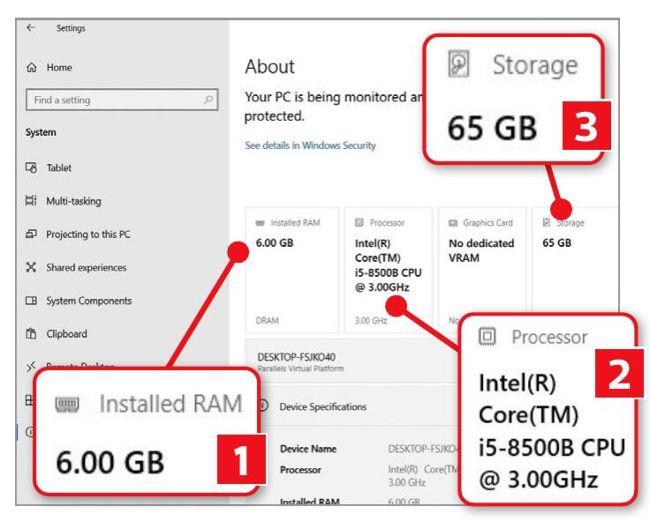
Make a note of your PC’s RAM, processor model and storage capacity
Is your computer compatible with Linux?
Linux isn’t a one-size-fits-all operating system. Different distros have different system requirements, and some offer better support for specific hardware than others. In some cases, your chosen distro may display errors or simply refuse to install if your hardware doesn’t meet its minimum specification. In other cases, you may find your computer becomes incredibly slow or that specific functions – Wi-Fi or sound, for example – don’t work properly anymore.