Develop video games with the Godot engine
Calvin Robinson explores game development engine Godot, and reveals how to script a user interface for a 2D video game.
Calvin Robinson
OUR EXPERT
Calvin Robinson is a subject matter expert at the National Centre for Computing Education, and a computer science teacher.
Godot is a free (as in beer) and open source video game engine. It’s an impressive toolset provided at no cost and with liberal licencing that enables people to create their own video games without spending months first creating the engine.
The idea is very similar to PyGame, a Python module we’ve used often in games programming tutorials in this magazine, in that an advanced toolset is compiled that includes most of the groundwork one would need to create a game. Things like sprites and physics are taken care of, so the programmer can get straight onto designing their video game.
Godot uses an MIT or Expat licence that grants programmers the permission to use Godot for any purpose: study how the engine works; change the engine itself; and redistribute versions of Godot with or without changes. Programmers are even free to commercialise custom versions of Godot under a different license, provided a notice of the original Godot is distributed in the documentation. That’s a very free (as in speech) licencing scheme.
Of course, any game or software created with the Godot engine is the sole copyright of you, the developer. While it’s important to include a copyright notice of the engine used in your documentation, anything you create in Godot belongs to you to do with as you please. These are fair and incredibly permissive terms.
Being FOSS, Godot is cross-platform, with versions for Linux, Windows, Mac OS X and BSD. Additionally, it’s also multi-platform, working on iOS and Android devices, as well being able to deploy games for the Nintendo Switch, PlayStation4, Xbox One and HTML5.
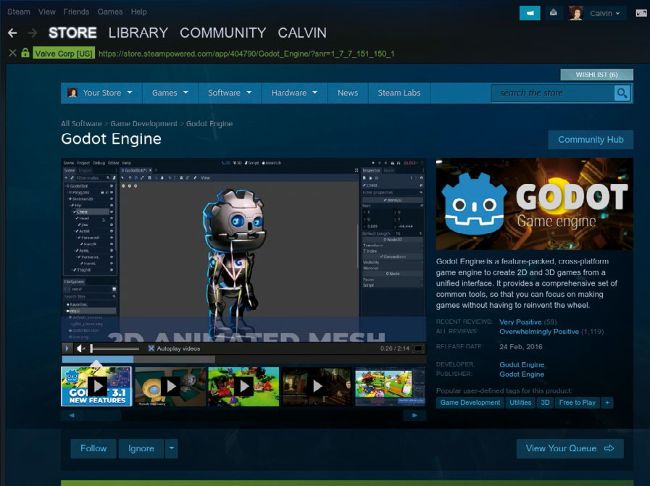
The easiest way to download and update Godot is via Steam.
QUICK TIP
Don’t forget to comment that code! As we progress in Godot we’ll end up with multiple scenes with dozens of attached scripts, so it’s important to comment to remind ourselves what does what.
How to Godot started
First of all, Godot supports both 2D and 3D visual rendering, making it easy to design games for either perspective. The interface itself is user-friendly enough for projects of scale, and ease of use seems to have been a contributing factor to the design of this engine.
While Python support in Godot isn’t ‘official’, there is community support available for it. Officially endorsed options are C# or C++ for the more advanced programmers. For those just starting out, or with limited programming experience, Godot offers a high-level scripting language called GDScript, which is pretty similar in syntax to Python, with influences from Java. And if coding isn’t your forte, there’s also a visual scripting interface built in. The visual editor is context-sensitive and WYSIWYG (what you see is what you get).