Answers
Got a burning question about open source or the kernel? Whatever your level, email it to lxf.answers@futurenet.com

Neil Bothwick tweaks your troublesome Tux to make it tick smoothly
Q MIN RAM & CPU 4 OBS
I need to prepare a number of (identical) laptops for use in seminars.
They’ll be equipped with a webcam, a USB microphone, and an external monitor with speakers. The setup will be used to record role play exercises and play them back to the participants.
Software would be
OBS
and
VLC,
on a system running Fedora (mainly because I use it every day and thus know it).
Now, how much hardware is needed?
We can’t miss out on sound bits or get frame rate of one per second only, so sound 48k, 30fps at 1080 video stream.
But I can’t go out and buy a number
of laptops to try to figure out which stutters, and I can’t just blow the budget and buy the best. Do you have any guidance on minimum requirements, especially for processor and memory?
Hendrik
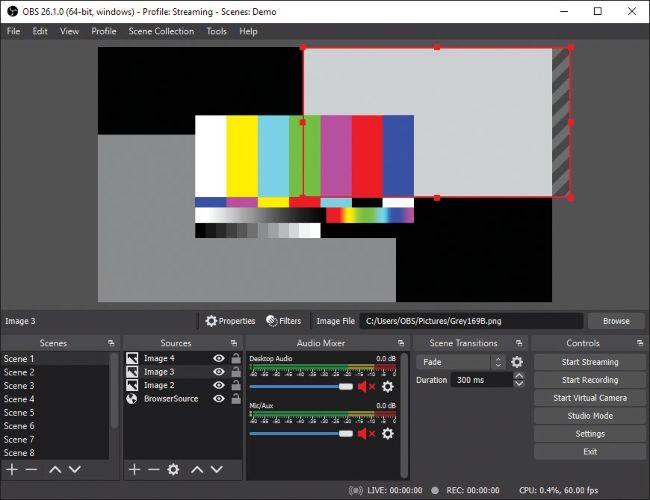
As with any video-processing software, OBS benefits from plenty of RAM.
A This is one of those “how long is a piece of string” questions. As it happens, I was at a presentation on using OBS at a LUG meeting only two days ago, so I emailed the presenter for his advice. OBS itself isn’t particularly demanding – it’s the streaming video and audio that matter. Anything short of a bargainbasement laptop should have a CPU able to handle the demands you put on it, unless you’re considering real-time mixing or transcoding of video streams. You’ll also need fast enough storage. A decent internal SSD device is more than enough for this, but avoid using external USB storage as you want your USB bandwidth available for the video and sound inputs. The most important resource is memory, which is true for so many applications.
Make sure that any laptops you consider have removable memory, so that it can be updated later if you need to. Some slimline laptops have the memory soldered to the main board and can’t be upgraded. Ideally, a laptop with a free memory slot, so you can upgrade by adding another stick without having to throw away your existing RAM, would be best,