ASK
TECH SUPPORT & TECHSPLANATIONS
Email Mac|Life at ask@maclife.com Get official documentation at support.apple.com | Get help with hardware at support.apple.com/repair
> Starting an M1 Mac from an external drive
What’s the best way to install Big Sur on an external SSD for my M1 MacBook Pro?
This isn’t easy, as Apple’s installers don’t yet support all drives connected to M1 models. You’re most likely to succeed with an expensive Thunderbolt drive, a good USB–C model, or one connected through an external dock.
Download the Big Sur installer app through the Mac App Store, or if you’ve got a fast internet connection you can perform this in Recovery mode using Disk Utility there to format the SSD first.
Unlike Intel Macs, M1 models always begin starting up from internal storage, and that’s what provides Recovery mode too. Installing macOS on an external drive is therefore different and more complex than with an Intel model. Some errors you could encounter don’t yet have workarounds, and for now some SSDs can’t be set up as bootable at all. Articles at bit.ly/mac364m1macs provide latest info.
At present, once you’ve installed macOS on an external drive it may not be able to install macOS updates using Software Update. Those have to be performed when started up from the external drive, and the only alternative is to back up, install a copy of the new version, and restore your data to that. Until these problems are fixed, using external bootable drive with M1 Macs remains experimental.
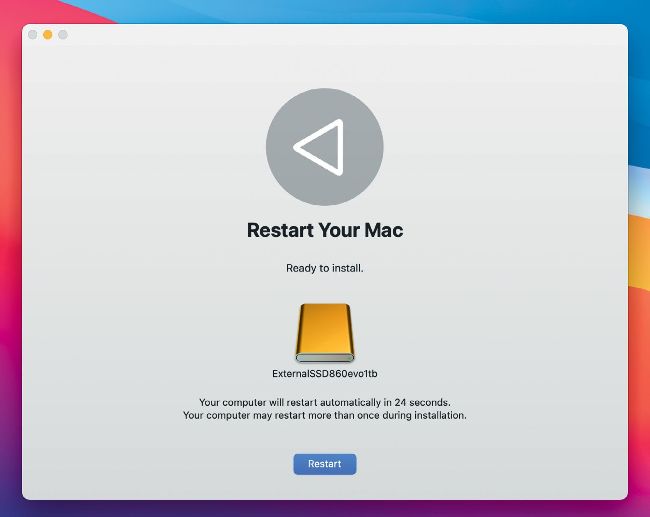
Not all external SSDs can get to the last phase of installing Big Sur from an M1 model, and may fail to restart correctly.
Hot topics right now
Make sure you check out these important support articles on Apple’s website to better understand the latest features.
SECRET STARTUP FOR APPLE SILICON MACS
When you start up your M1 Mac and hold down on the power button for 10 seconds, a startup screen will appear with several options. From here you can reinstall macOS and more — find out about it here: bit.ly/ml181ask1.
EMAIL PROBLEMS USING THE MAIL APP?
Are you encountering issues sending or receiving email, even if your internet connection is working properly? The status icon in Mail might hint at why, or it could be a problem with your email provider. bit.ly/ml181ask2.
REDUCE WIRELESS INTERFERENCE
Find out why this happens, how it affects your Wi-Fi and Bluetooth, and what you can do to reduce it: bit.ly/ml181ask3.
> Password security
Should I change all passwords that my iPhone reports as being potentially compromised, or is it being overcautious?