Master printing on your Mac, iPhone, or iPad
Setting up a printer is a whole lot more straightforward these days. Here’s how…
WRITTEN BY KENNY HEMPHILL
Beginner’s Guides Master Printing

Image rights: Apple.
Image rights: Apple.
FOR AS LONG as the Mac has existed, there has been a way to output from it to paper. For a while, Apple even made its own printers, connected by the now long– forgotten serial and SCSI ports, depending on the device in question.
Now, you’re much more likely to connect to a printer wirelessly, or over an Ethernet network. You can even print to a printer on the other side of the world, thanks to the internet.
Nevertheless, and despite all the advances in other areas of computing, the simple act of printing a document or image can be a frustrating, hair–tearing experience.
Whether it’s a printer that your Mac just won’t connect to, or one that refuses to print within the boundaries and parameters you set, there seems to be no end to the number of different problems printers can encounter. And that’s before we even get to the final printed image not looking anything like the photograph on your Mac.
Fear not, however. We have the solutions here. From setting up a printer with your Mac for the very first time, to doing more demanding printing, you’ll find all the answers you need in the pages ahead.
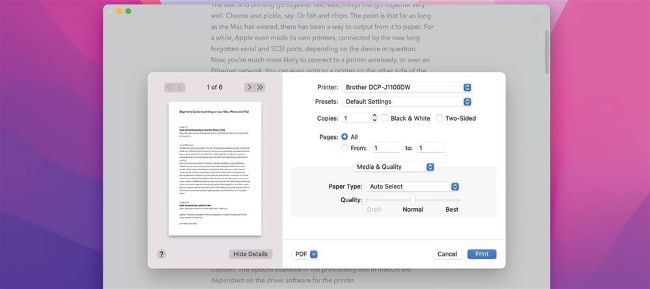
The options in the print dialog box are dependent on the driver software for the printer.
Image rights: Apple.