Reduce the presence of artefacts
How to smooth out distracting digital noise and put the smackdown on ugly colour fringes!
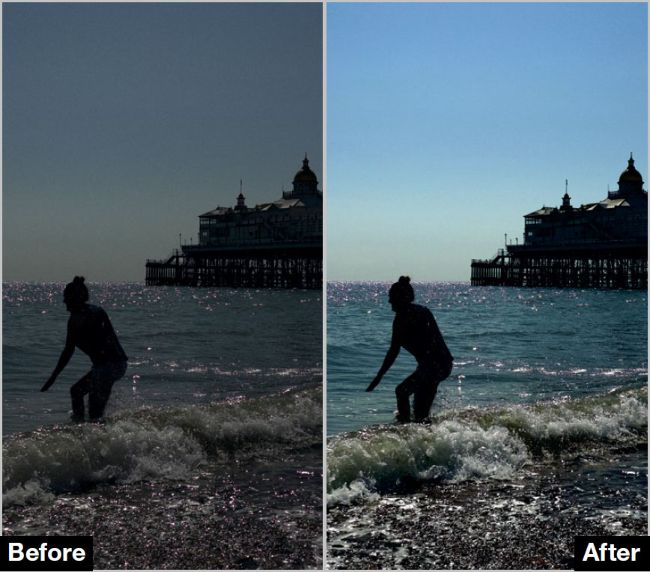
Brightening up an underexposed image can reveal digital noise and colour fringing
Before
When brightening up a photo’s tones you may notice unsightly artefacts, such as noise. Chrominance (colour) noise appears as dots of colour, while luminance (brightness) noise manifests itself as greyscale particles (a bit like the grain in analogue prints). We’ll show you how to use the Photos app to achieve a balance between smoothing out unsightly noise while preserving important texture and detail. We’ll also look at how to remove the presence of chromatic aberration (purple colour fringing) which can appear around the edge of high-contrast areas. While the Photos app lacks a dedicated chromatic aberration removal tool, we have an effective workaround that you can try!