Ubuntu vs Fedora
Flavours, spins, upgrades
Fedora and Ubuntu have all kinds of alternate editions, and both can easily be customised beyond recognition.
Besides the flagship desktop offerings, there are a number of other official editions of Fedora and Ubuntu that you might be interested in. For fun and games (although it actually wasn’t fun at all) we tried installing both OSes on an old machine that, with its 2GB RAM and ancient (but still 64-bit) Celeron processor, fell well below the recommended specifications.
Once the installs were complete (which took ages because cheap laptop hard drives of the early 2010s are not fast), both OSes were surprisingly useable. But what turned out to be much more useable was working with the LXQt-powered flavour of each. Gnome had a fairly large, but not surprising given its reputation as the fattest desktop environment, 700MB memory footprint. LXQt had a much more slimline 450MB.
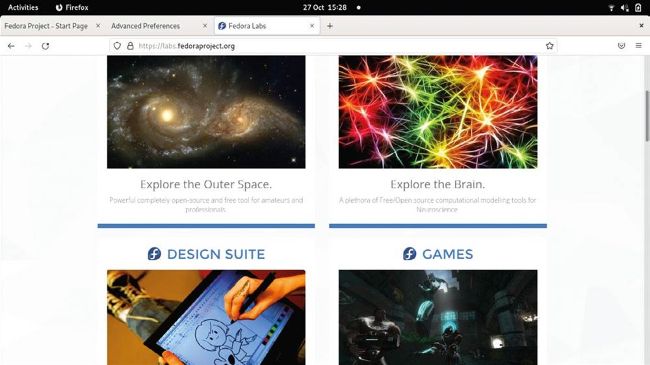
Space, brains, tablets and aliens – there’s a Fedora Spin or an Ubuntu Flavour for everyone.
Even if you’re not on old hardware, you might not like the Gnome desktop. And if you are, you might like that there’s still a Fedora Spin that uses LXDE, the lightweight desktop built on the venerable GTK2. For a different kind of nostalgia check out the MATE-compiz spin, which brings back Gnome 2 aesthetics with a wobbly windows twist. Kubuntu and the KDE Plasma Fedora spin are among the most popular alternative offerings, but you’ll find there’s a spin/flavour for any desktop you could care to name. There’s also Fedora Kinoite, an atomically updating (like the official Silverblue release) Plasma spin. Similar to the desktop spins are Fedora Labs. These are special editions that cater to a particular area of interest with bespoke software bundles. If you’re into computational neuroscience, for example, try the Comp Neuro Lab. It has all of the best open source neural network simulation software (is that too niche a genre for a future Roundup? – Ed).