CASTERO
TUI podcast player
Listening to podcasts is as natural to Shashank Sharma as making tall claims. He’s tried all podcast clients and has finally found one of the best.

OUR EXPERT
Shashank Sharma is a trial lawyer in Delhi and an avid Arch user. He’s always on the hunt for pocketfriendly geeky memorabilia.
O ver the past 15 years, podcasts have become an inalienable part of most modern web users’ daily lives. Whether it’s news or commentary on relevant topics of the day, or informed discussions on niche subjects such as open source software, art of creative writing or comic books, you’ll find a range of podcasts on all such subjects and more. Many modern music players now support playing podcasts, but if you’re looking for a dedicated podcast client for the terminal, Castero just might fit your needs.
The old Unix philosophy of having programs that do one thing well is all but forgotten, with behemoth graphical applications that strive to do a variety of different tasks. For instance, consider your web browser, which can display web pages, but also play multimedia files, act as a download or FTP manager, screencaster and more.
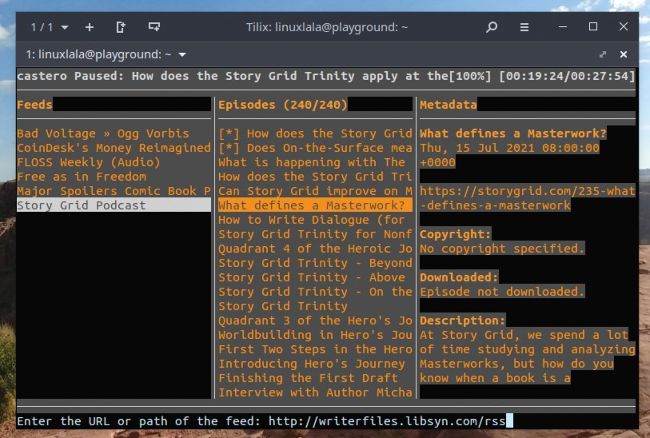
Castero refers to the different panes as menus. Unfortunately, it’s not possible to change the width of any of the panes/menus.
Thankfully, the old Unix philosophy lives on in many text-based applications. Castero, a TUI podcast player, is one such application. It’s unable to double up as a music player, and it can’t be used as a web browser. Its only purpose is to be an efficient podcast client, and nothing more. To that end, the program supports a variety of useful features such as adding RSS feeds, fetching episodes and metadata information, downloading episodes for offline listening and increasing/decreasing playback speeds.