Answers
Got a burning question about open source or the kernel? Whatever your level, email it to answers@linuxformat.com

Neil
Bothwick seems to have an answer for everything.
Q Console customisation
How do I change the colours in my terminal? I want to change both the background and text colours. I also find the text on the login terminal too small – is there a way to make it larger?
Luke Law
A Do you mean an X terminal on your desktop or a traditional Linux virtual console? If it is a desktop X terminal, there are usually menu options to configure all aspects of the appearance of the terminal. If you are referring to a virtual console (or a minimal terminal like xterm), you can use the setterm command to configure the colours. For example, to set the terminal to black text on a white background, use:
$ setterm --background white --foreground black
For an eight-colour terminal, the colours can be chosen from black, red, green, yellow, blue, magenta, cyan or white. With a 16-colour display, you can precede all but black with the word ‘bright’. Bright black doesn’t make sense so the 16th colour is grey.
As for the text size, with an X terminal, there is usually an option in the menus to set this. For a virtual console, there is the setfont command. You can select any of the console fonts available on your system – these are separate from the fonts used by graphical apps – but there is also a quick way of making text easier to read:
$ setfont -d
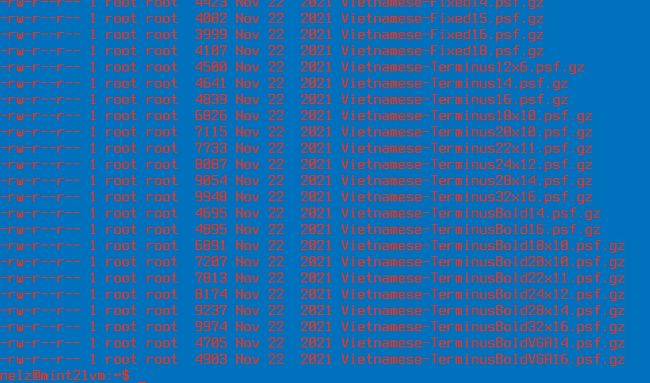
Judicious use of the setfont and setterm commands can make your Linux as headache inducing as you like.
This simply doubles the size of the default font display. It really only works well on high-resolution displays, as it basically doubles up on the dots making up the characters, so it can look jaggy on some displays. If you want to configure your fonts in more detail, you can load a different font file with setfont. The console fonts are normally stored in /usr/ share consolefonts or /usr/share/kbd/ consolefonts, depending on your distro. You can load a font by passing its full path for setfont. For example, to load the Terminus font in 20x32 size, run:
$ setfont /usr/share/consolefonts/ter- 232n.psf.gz
You can give either the full path to the font file or just the base name of the font. If you happen to load a font that makes your terminal unreadable, such as a Cyrillic font or a tiny one, you can run setfont with no arguments to reset to the default.