HOW IT WORKS
Optimised Battery Charging
How your Mac, iPhone and iPad make their batteries last longer
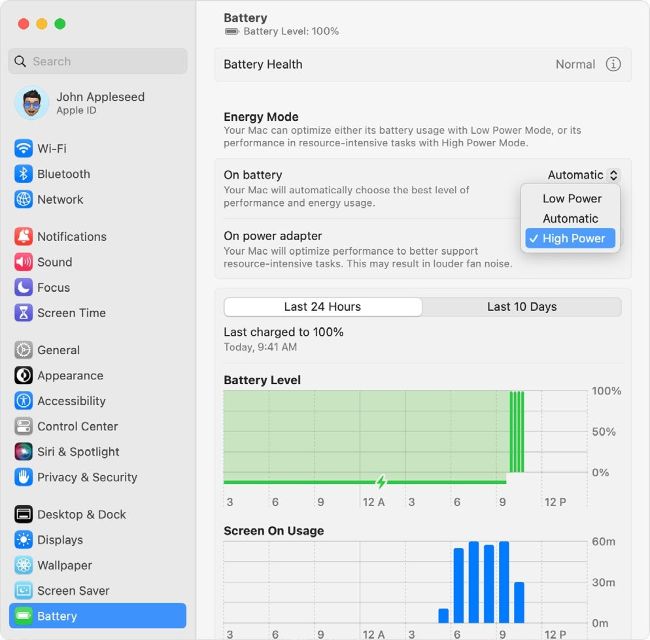
You can use Energy Mode in Settings > Battery to set your MacBook’s power preferences
YOU WILL LEARN
> Why Apple optimises battery charging and why it’s important
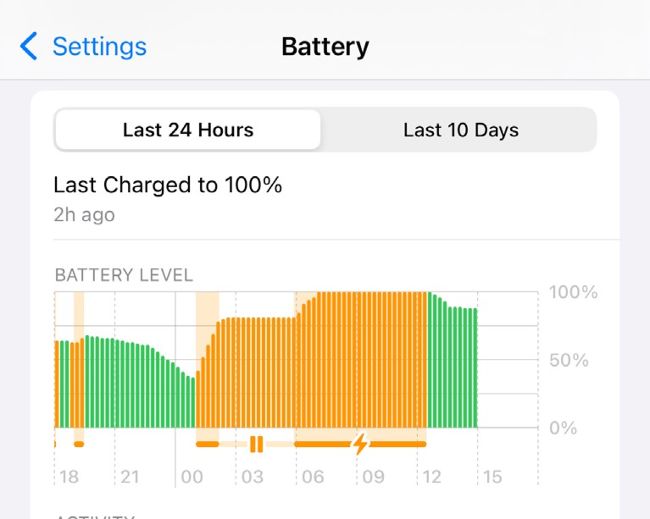
In iOS and iPadOS, going to Settings > Battery will show you which apps are draining the most power.
Image credit: Apple Inc
When it comes to battery life, we’re
living in a golden age of Apple hardware: while the processors in our Apple devices have become ever more powerful and capable of doing ever more things, that doesn’t mean we’ve had to sacrifice the all-day battery life we’ve got used to over the last decade.
Whether it’s an Apple Watch, a pair of AirPods or a MacBook Pro, the batteries in your Apple kit have serious stamina for even the toughest tasks.
But while tech has improved dramatically in recent years, even Apple can’t change the laws of chemistry – and those laws say that over time, every battery will lose capacity. Eventually so much you need to replace it.