MacOS
Run Windows games
Discover how to run Windows games and apps with Cross Over
IT WILL TAKE
> 15 minutes
YOU WILL LEARN
> How to install Windows apps and games with CrossOver
YOU’LL NEED
> CrossOver for Mac (free 14-day trial version, then £60); compatible Windows games
Genius tip!
> The first app you should install is the Windows version of Steam, which will open up access to many more Windows-only games.
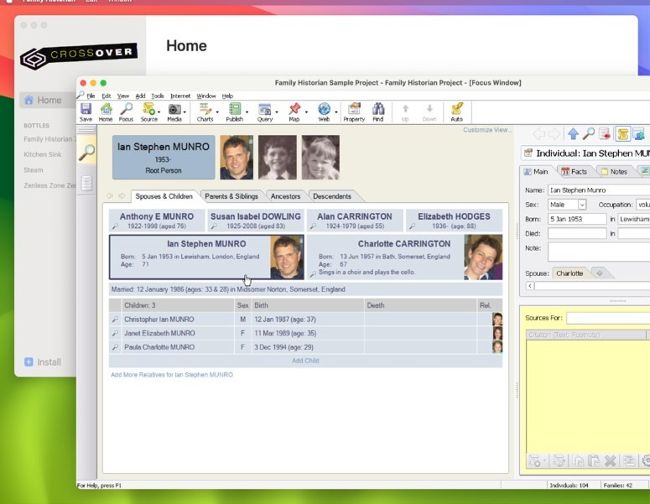
You can install Windows apps as well as games on your Mac using CrossOver – use the free trial to try before you buy.
Image credits: Apple Inc, CodeWeavers
Frustrated that some games aren’t available for your Mac?
Just because a native Mac build hasn’t been released doesn’t necessarily mean you can’t play that game. There are two ways to run Windows software on your Mac: one is to use virtualisation software like VirtualBox or Parallels Desktop, but while this produces a complete Windows environment to work in, there’s a performance penalty that makes many games unplayable.