CLEAR OUT THE CLUTTER
Free up space on your Mac’s storage drive
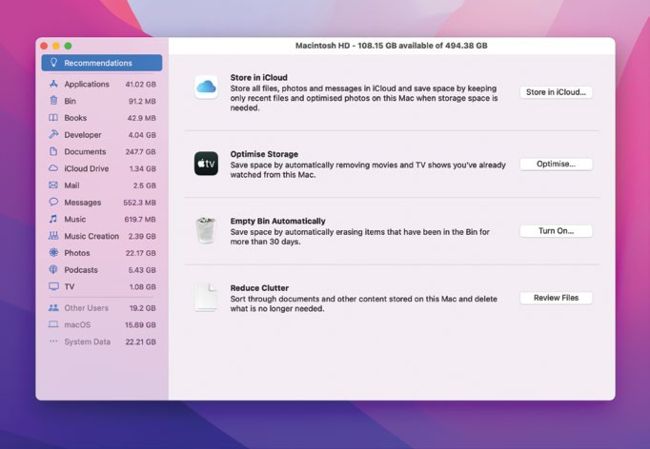
The Manage Storage facility in macOS provides recommendations for freeing up hard disk space.
Anyone who has used a Mac for more than a few weeks knows that while you might start out with a pristine storage drive with lots of free space, it doesn’t take long before you start to fill it with apps, images, music, documents and lots of other files.
Given that many Macs still ship with only 128GB of storage, it’s often not long before your Mac starts to groan under the weight of all that data. The good news is that there is plenty you can do to free up storage starting with the built-in Manage storage feature. This handy tool, accessed by clicking on the menu and choosing ‘About this Mac’, then Storage > Manage will tell you what is taking up space on your drive and give you lots of tips to free it up. For example, it might suggest moving your Desktop and Documents to iCloud or deleting attachments from Messages.