GB
  
You are currently viewing the United Kingdom version of the site.
Would you like to switch to your local site?
4 MIN READ TIME

macOS

Shine a spotlight on the solutions to your most irritating Mac problems
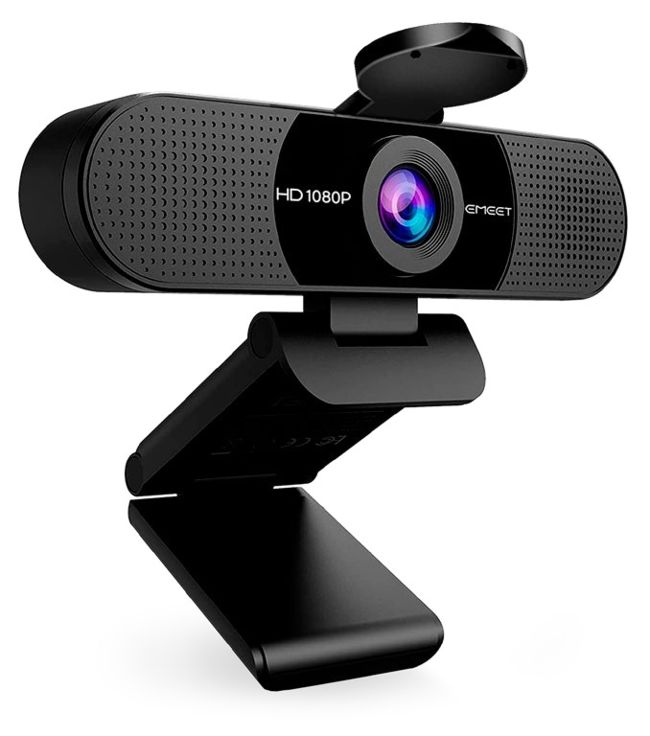
Camera and webcam apps relying on old plug–ins broke with Sonoma 14.1.

> Webcam app broken in Sonoma

My webcam app stopped working when I updated my Mac to Sonoma 14.1. I’ve looked for an update but can’t find one. How can I get its app working again?

This is almost certainly the result of a change in macOS, which no longer supports old camera or DAL plug–ins, but requires newer Camera Extensions, as of Sonoma 14.1.

DAL plug–ins were introduced in OS X Lion 12 years ago but are a serious security risk, and can’t protect your privacy in the way that we now expect. They were officially replaced by Camera Extensions back in macOS 12.3, but until 14.1 both types of support were allowed.

If your camera manufacturer hasn’ t released an updated version of their app that uses a Camera Extension so it’s compatible with Sonoma, all is not lost yet. You can, as a temporary measure, allow your Mac to use the camera app by disabling the requirement. To do that, start your Mac up in recovery, and open Terminal there. Type in the following command: system-override legacy-cameraplugins-without-sw-cameraindication=on

Unlock this article and much more with
You can enjoy:
Enjoy this edition in full
Instant access to 600+ titles
Thousands of back issues
No contract or commitment
Try for 99p
SUBSCRIBE NOW
30 day trial, then just £9.99 / month. Cancel anytime. New subscribers only.


Learn more
Pocketmags Plus
Pocketmags Plus

This article is from...


View Issues
Mac|Life
April 2024
VIEW IN STORE

Other Articles in this Issue


START
THE FUTURE OF VISION PRO
HOPEFULLY YOU’RE NOT experiencing Vision Pro fatigue by
Alternative app stores… in Europe
THE LATEST NEWS FROM THE WORLD OF APPLE
News in brief
A bite of the Apple
Apple in 2024
Looks like there is plenty for Apple users to look forward to this year…
THE SHIFT
MATT BOLTON thinks that the Vision Pro launch is in an awkward space between the past and the future
LETTER OF THE MONTH
A while back I was discussing how by
FEATURES
67 AMAZING iPHONE SECRETS
Are you getting the most from your iPhone? Let’s take a look at some great advanced tips and tricks
GET FIT AND HEALTHY IN 2024
Make the most of your outdoor activities or get fit without leaving the house with Apple’s range of apps and devices aimed at keeping you in tip–top shape
Beginner ’s Guide to Journal
Journal has finally made it to the iPhone, and it’s a digital diary app that everyone can benefit from
CREATE
CREATE
HOW TO DO ANYTHING ON YOUR MAC, iPHONE & iPAD
Create a custom look
For when you’re bored of staring at the same old Mac desktop and icons
Use widgets in Sonoma
Interact with widgets that now sit ready and waiting on your desktop
Browse more privately online
Safari’s Private Browsing just got new features — here’s how to use them
Master to–dos in Reminders
Discover a great way to manage all your ongoing projects in Reminders
Listen to classical on your iPad
Your favorite works at your fingertips — we show you how!
Master the new Apple TV app
Apple’s had a teensy tidy–up — let’s take a look at what’s changed
Unified memory
There’s a cost, but unified memory makes Apple silicon Macs more efficient
ASK
EXPERT ADVICE
Our resident genius Howard Oakley solves your Mac and iOS problems
Mac Hardware
We’re here to help solve your hardware issues
REVIEWS
Apple Vision Pro
A revolution in progress
Goodnotes 6
AI smarts could help you become a smarter note taker
SpamSieve 3
Improved email tool
Astell & Kern HC4
Audiophile music quality on the go
Stray
The game that’s the cat’s pajamas
Best of the best
Can’t find the hardware or app you’re looking for in our reviews section? Then check in here — we’ve highlighted the best in every major category, as voted for by us
Chat
X
Pocketmags Support