Recover your data
Whether you need just one file, or to restore an entire Mac — find out how
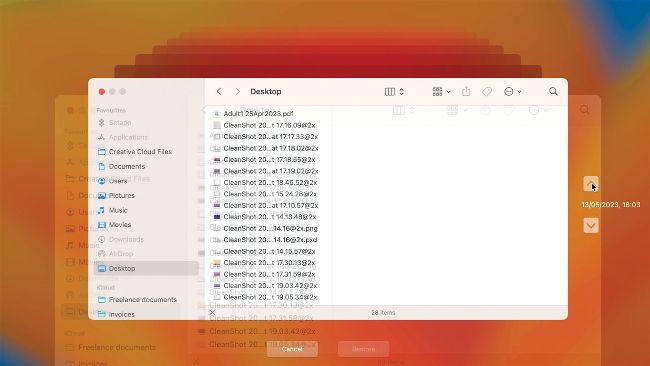
Time Machine gets its name from the way its interface allows you to roll back to previous days and weeks.
WHEN APPLE FIRST launched Time Machine, it pitched it as a way to roll your Mac back to an earlier point in time, before you made changes to, or deleted, files. With a skeuomorphic interface typical of Apple at the time, invoking Time Machine seemed to enable you to travel back in time via Finder windows from an earlier age, or at least a few days ago. The skeuomorphic time travel has gone, but Time Machine’s interface remains much the same, displaying stacked Finder windows and arrows to “travel” back and forth. When you find the date you want, you can then navigate the Finder as if you were back to that date, then find and restore the files you have changed or deleted.