Turn audio into text
Transform spoken audio into editable, searchable, usable text with MacWhisper
REQUIRES MacWhisper, macOS 12 or later (M–series Mac recommended)
YOU WILL LEARN MacWhisper can turn spoken audio into usable text
IT WILL TAKE Depends on task
GENIUS TIP
If the app you want to transcribe from doesn’t save or export audio, Rogue Amoeba’s Piezo (rogueamoeba.com) — a simpler, cheaper version of Audio Hijack — will do it for you.
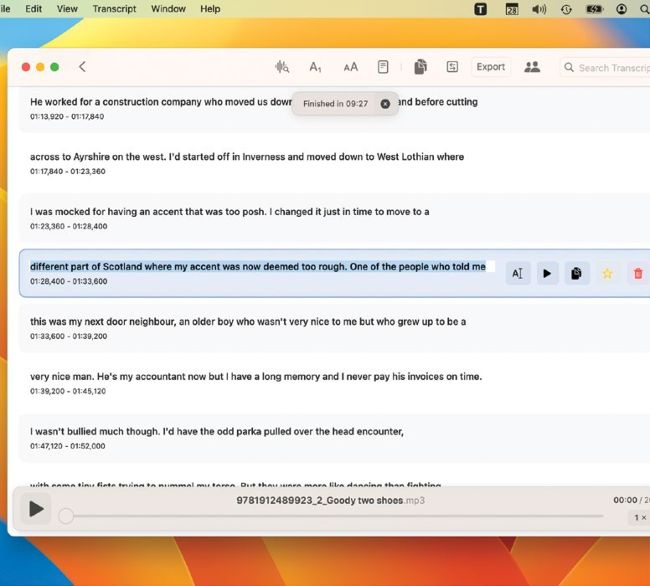
Transcribed text appears as it’s recognized, and you can edit it in place or quickly play the original audio to work out what’s being said.
Image rights: Apple Inc, Jordi Bruin.
MACWHISPER IS A clever AI-powered app for Mac that quickly and accurately transcribes spoken text from live audio, recordings, and videos. It has been trained on nearly 700,000 hours of audio data, and unlike online transcription services it runs natively on Mac so it’s always available. Unusually for a free app, MacWhisper (goodsnooze.gumroad.com) doesn’t keep its best features locked away or blast you with ads. It simply gets on with the job, and the only real limitation is that you don’t get its very best language models, and text and subtitles output doesn’t include HTML or PDF.