Your next
OS updates revealed
What’s coming soon to iOS, iPadOS, macOS, watchOS, and more? We take an in–depth look at what’s in store…
WRITTEN BY IAN OSBORNE
Image credit: Apple Inc.
Image credit: Apple Inc.
THE OPENING KEYNOTE at the Worldwide Developers Conference (WWDC) is the most important event of the year for Apple. It’s when Cupertino announces its next–gen operating systems. And on June 9 2025, the keynote introduced us to the new versions of iOS, iPadOS, macOS, watchOS, tvOS, and visionOS, but unusually, no new hardware.
In a widely leaked move, Apple abandoned the existing version numbers, and is suffixing each of this year’s updates OS with “26”, as they’re 2026’s operating systems (as always, they’re released in the fall). This tidies up what had become a messy inheritance. From now on, we’ll always know which version of the iPadOS is contemporary with a given version of macOS, for example, because they’ll be numbered in the same way.
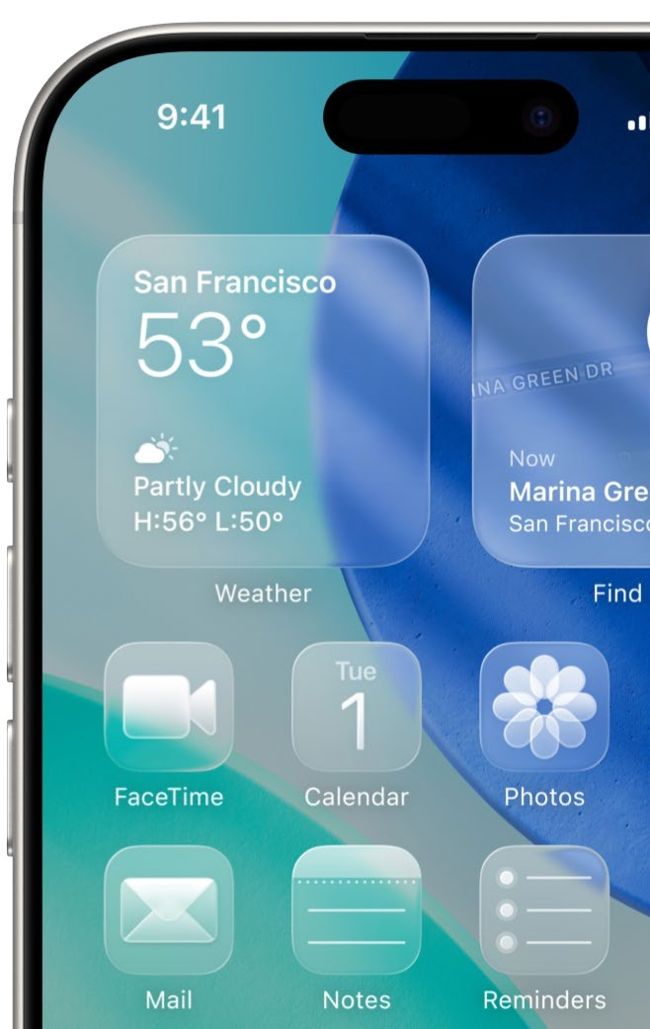
Something else the operating systems have in common is a new visual style for the interface. Dubbed Liquid Glass, this new appearance is used across the board on Mac, iPhone, iPad, Apple Watch, Vision Pro, and Apple TV. Once again, Apple has taken steps to bring its mobile and computing operating systems together, making it even easier to switch between them.
As well as the version renaming and beautiful new design, the 2026 operating systems are packed with fantastic new features that make using Apple products more productive and fun. Let’s take a look…
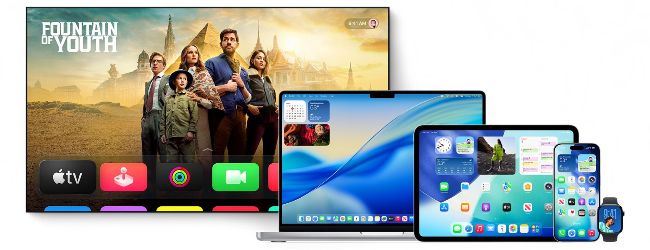
Image rights: Apple Inc, Little Tokyo Recordings Ltd/Sony Music Entertainment.
Introducing Liquid Glass
All the new operating systems boast a new visual style, but why should we be excited?
LIQUID GLASS IS Apple’s first major redesign to the look and feel of its operating systems since iOS 7, and this time, it’s being applied across Apple’s entire product range. Today, apps regularly appear on multiple devices, with people switching between them as they work. This makes a common theme very useful, giving those operating systems a unifying feel without losing the comfortable familiarity that has been built up over numerous software generations.
But what is Liquid Glass? Inspired by the layered virtual screens and tools of visionOS, the new interface design is based on a translucent material that both reflects and refracts its surrounding content, and dynamically transforms as you use it. So, for example, a menu that’s currently static can move in response to your touch on iPhone or iPad or to the pointer on Mac. Its background color is taken from what’s behind it for a translucent look.
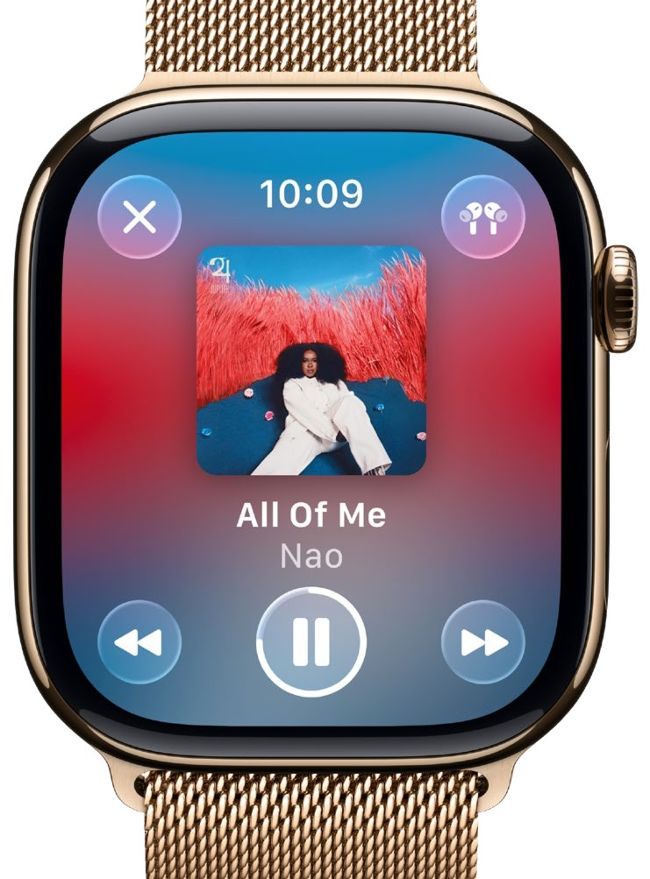
As well as light and dark tints, there’s a new clear look, which gives the screen a fresh appearance.
The Liquid Glass interface is implemented across Apple’s range of devices, including the Watch.
HOVERING ABOVE
Liquid Glass interface objects transform depending on their context, making them look much more a part of what’s happening on the screen, and less like an overlay that’s been superimposed on it. For example, in the TV app, when you bring up the controls, each element on the screen looks like it’s a bubble of glass, refracting what’s behind it, as well as displaying the familiar icons used to set the volume, pause, and skip, share and AirPlay the video, and so on.
The iOS Lock Screen’s Liquid Glass overhaul gives it a breathtaking 3D appearance. The clock digits are rendered beautifully with that translucent sheen for which the new interface will become known, but instead of sitting on the wallpaper, they hover above it. Tilt and rock your device, and it dynamically reacts to your movement, making the wallpaper look as if it’s an inch or two behind the numerals. This is tricky to describe, but take it from us, it’s really easy on the eye.
This Liquid Glass appearance is used throughout the operating systems, from the smallest interface elements, such as switches and icons, to larger ones, such as menus and the Dock. And all these elements respond in real time to your content and input. So, taking that example of the movie controls being superimposed on the Apple TV app, as the video moves behind them, their refractions update accordingly. Scroll a Safari web page up and down, and the refractions of the web address bar — which now floats over the browser instead of getting its own space — also change according to what’s behind.