CREATE AMAZING
PODCASTS!
From true crime to tales of tomfoolery, podcasts can be about anything — and it has never been easier to add your own unique voice. Here’s how to do it
WRITTEN BY CARRIE MARSHALL
A PPLE DIDN’T INVENT the podcast, but it helped give it a name: the “pod” bit came from the iPods that we used to play our audio in the early 2000s when the first iPhone was still a gleam in Steve Jobs’ eye.
A podcast is simply a recording of one or more people speaking that you can download or stream to your device — your iPhone, Apple Watch, or Mac — and it could be about absolutely anything. Some of our favorite podcasts encompass subject matter such as music, books, and imaginary restaurants run by bad–tempered genies.
Many of today’s best– known podcasts are made by celebrities in expensive studios, but the original spirit of podcasting — something that anyone can do — is alive and well. As we will discover here, all you need is a single Apple device, the right app, and a microphone. Plus, of course, something interesting to talk about that people will want to hear.
In this feature, we will also discover the ins and outs of podcasting: how to do it, how to do it really well, and how to get it to as many listeners as possible. We’ll discover the best audio accessories and the best podcasting apps, as well as asking the big question: is it possible to make money doing this, and if so, how?
WHAT YOU’LL NEED
How to prepare a premium–quality podcast
THE FIRST THING you’ll need for successful podcasting isn’t a bit of hardware or software; it’s a theme. What will your podcast be about? Some of them take a single story, such as a real–life crime or a period of history, and tell the story over multiple episodes. Others focus on a core topic, such as South Asian cooking, English soccer, Young Adult books, or what famous people’s last meal would be.
Your theme should be interesting to you; if your heart’s not in it, you’re not going to want to do it very often, or for very long. Ideally, it will be something that nobody else is doing, or that you’ll be doing in a very different way, because that will make it a lot easier for your podcast to stand out.
CAPTURE THE CHAT
Once you know what you’ll be talking about, the next thing you’ll need is a way to record it.
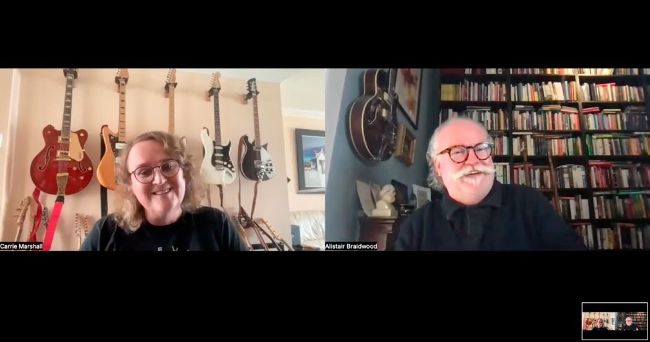
Many podcasts use Zoom recordings to make YouTube–ready video, as well as audio.
Those requirements will depend on your podcast’s format, so if it’s just you talking, all you need is a single, good–quality microphone for your Mac, iPad, or iPhone. You don’t have to spend lots of money — USB mics are widely available, and even really good ones cost under $100.
For recording more than one person, you’ll need more than one microphone, and that means connecting multiple mics to your Apple device. Those microphones will probably have XLR cables, which your Apple kit doesn’t have, but you don’t need to splash out on a dedicated mixing desk. Instead, a simple two–input, two–output USB audio interface represents an inexpensive way to add high–quality audio input to your Mac, and you can also use it for making music. A good option for on–location interviews is to use wireless microphones, such as the brilliant DJI Mic 2 TX + 1 RX + Charging Case (see right). The set comprises a pair of tiny clip–on mics with built–in storage and receiver, so you can have one mic clipped to you and one clipped to your guest or co–presenter. When you’re done, you can then connect the microphones via USB–C to transfer the audio files to your Mac.