iPad VS Mac
Do you need a laptop or a tablet? We help you discover which Apple device is best suited for your needs
WRITTEN BY RYAN BUTT

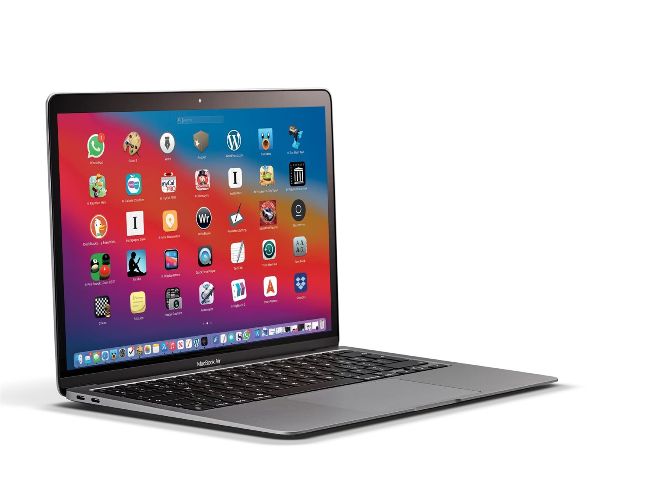
IT USED TO be the case that choosing between a MacBook and an iPad was easy, but Apple has started to blur the lines between the two in ways that few of us could have expected. In terms of power, we have now reached parity thanks to the new iPad Pro which uses the same M1 chip as the MacBook Air, and when you start to look at the storage onboard the comparisons become even closer. For example, you can buy a 12.9–inch iPad Pro for only $200 more than the equivalent 256GB MacBook Air, but if you opt for the 11–inch iPad Pro then you can pay only $100 more than the 256GB MacBook Air for 512GB of storage. This makes the cost analysis almost moot, which is then exacerbated by the fact that the M1 chipped MacBooks can run most iOS apps and games as well. With so many titles now available on macOS it can come down to how each will work for you in terms of the physical forms. We’ll try to help you decide which device will be best for you, but there’s little doubt that Apple is making this a tricky question to answer.
QUICK LOOK The flat iPad keyboard
Many people will quite rightly presume that a physical keyboard is best for long periods of typing and data entry, and in many ways this assumption makes sense — but there is more to the story. A software keyboard like the one on the iPad can be customized to work in specific ways, which can make it as efficient as real keys.
A
HALF A SCREEN
The main disadvantage of using the iPad software keyboard is that it takes up half the screen, which lessens how much text you can view. However, you will be working on a much smaller and more portable device while typing.
B
APP KEYBOARDS
Many apps will customize the keyboard and allow specific functionality just above the keys. This will speed up your data input and could be likened to the hardware touch bar that was added to some MacBooks.
C
FORGET THE
KEYBOARD There’s a good argument for using voice dictation for data entry, whether you’re using a MacBook or an iPad. The software tech is the same in both, so the end results will be identical.
D
FLICK TO CHANGE
The ability to insert numbers and punctuation with a simple gesture is a big advantage on the iPad side. Not only is it very efficient, it will likely reduce the strain on your fingers and wrists as well.
PRO iPAD APPS
You no longer need a “proper” computer when performing many professional tasks
1 ADOBE PHOTOSHOP
Most people are aware of Photoshop, but are likely less aware of just how powerful the iPad version is. You can now undertake complex image manipulation wherever.
2 GARAGEBAND
Apple makes GarageBand, and has not scrimped on features when it comes to the iPad. In this app the Apple Pencil arguably gives you greater control than on the Mac.
3 AFFINITY PHOTO
Whether you need unlimited layers, brushes or smart object importing, Affinity Photo offers it all on the iPad. Again, the Apple Pencil offers near perfect control.
4 CODE EDITOR
If you have a data input system you are happy with, either an external keyboard or the iPad screen, Code Editor gives you every coding tool you could possibly need.
5 LUMA FUSION
Video editing on an iPad? Yes indeed. With the later iPads and the Pro models you will notice little difference in performance compared to a Mac. A big leap forward.