Image rights: Apple Inc.
Bluetooth
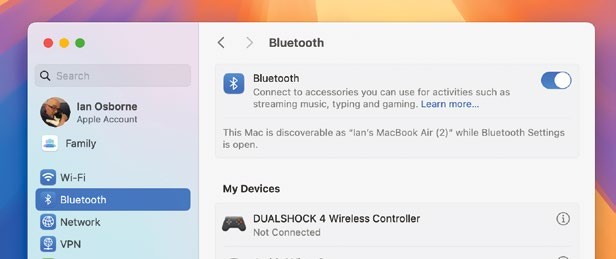
If you’re having trouble connecting to a Bluetooth device you’ve already paired with your Mac, go to Apple menu > System Settings, and click on Bluetooth in the sidebar. Find the device that’s not connecting, click the “i” icon next to it, and in the window, click Forget This Device. Now, put the device into pairing mode again, and pair it with your Mac in the usual way.
Wi–Fi and network issues
In System Settings, click Wi–Fi in the sidebar, and turn off the Wi–Fi switch in the top–right. Wait for a few seconds, then turn it on again. If this doesn’t work, turn your router off, count to 20, and turn it on again. Wait for it to reboot. Failing that, click the Details button next to your network name, click “Forget This Network”, and join it again using your network password.