Play Arcade Classic with MAME
–NATE DRAKE
YOU’LL NEED THIS
MAMEwww.mamedev.org/ release.html
WHILE MANY READERS may have fond memories of plowing loose change into arcade machines as children, games are usually enjoyed from our living rooms these days.
However, many arcade titles didn’t make it to home consoles. Those that did sometimes lost some of their charm. For instance, the SNES conversion of Street Fighter II had radically altered backgrounds, and even censored more violent aspects of gameplay.
MAME (formerly an acronym of ‘Multiple Arcade Machine Emulator') is designed to address this. Since 1997, this open-source software has been designed to recreate the hardware of retro arcade machines, videogame consoles, and older PCs. The project website makes MAME available free of charge, along with some ‘ROMS’ for personal use.
In this guide, you’ll discover how to set up MAME, as well as how to tweak the monitor and controller settings for an authentic vintage gaming experience.
A
1
S
ETTING UP MAME.
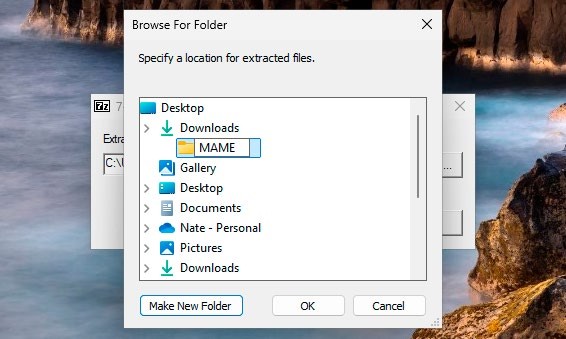
Open your browser, and use the above link to visit the MAME Downloads page. Download and run the program (currently mame0273b_64bit.exe). As you’ll see, this is a 7-Zip self extracting archive. This dumps the files directly to the current location, so you’ll need to create a container folder, eg. ‘MAME’ in your chosen director y to store them neatly. [Image A]