Build your own firewall in 30 mins
YOU’LL NEED THIS
YOU MIGHT NOT THINK you need another firewall. The one built into Windows is working all the time in the background to protect individual computers, and many routers have their own firewalls to protect the whole network. But running your own custom firewall has several benefits: it gives you more flexibility, plus better oversight of what’s going on in the background.
It’s also easier to set up than you might think. You don’t need specialist hardware, and you don’t need to pay for firewall software. The open-source pfSense firewall is free for personal use, with a graphical interface for administration and all the same features as the enterprise version (the difference is that you don’t get commercial support). You can run it in a virtual machine on any PC on your network, or install it natively on a retired PC. Note, though, that you can’t run pfSense on a Raspberry Pi, as it doesn’t support the ARM architecture.
–NIK RAWLINSON
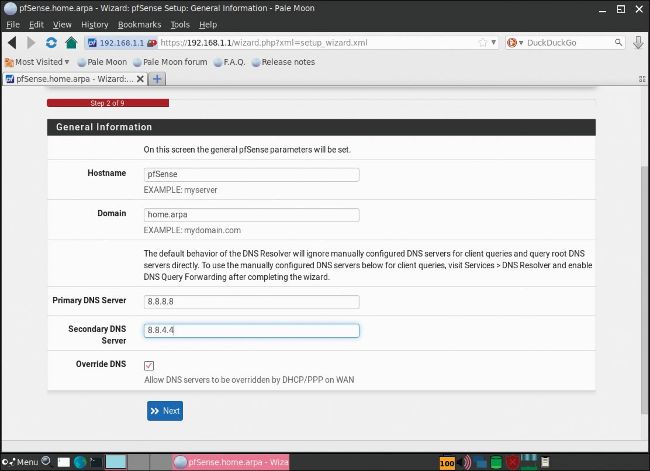
» Use Google’s DNS servers if you don’t know your ISP’s.
© PFSENSE FIREWALL
1GET PFSENSE
The pfSense firewall installs as a complete operating system based on FreeBSD. This means you’ll need to allocate at least 512MB of memory and have a 64-bit processor running at more than 500MHz. If you want to support gigabit Ethernet or faster connections, it’s recommended to use a system with multiple cores running at speeds in excess of 2GHz.