Prepare Your PC for Windows 11
YOU’LL NEED THIS
A PC WITH THE CORRECT CPU
See Step 1 for details.
THERE’S A NEW OS IN TOWN, you can get it for free, and you’re going to want it. Windows 11 is a handsome beast, reminiscent of Windows 10, yet still its own thing, with more to recommend it than a centered taskbar and rounded corners on its windows.
Anyone on the Windows Insider Dev Channel will already have had a build of 11 arrive through Windows Update. It is, at the time of writing, quite stable, but is not exactly what you’d call feature-complete. Still, it makes an interesting thing to have in a virtual machine or installed on a spare PC so you can bring it out at parties and impress your friends.
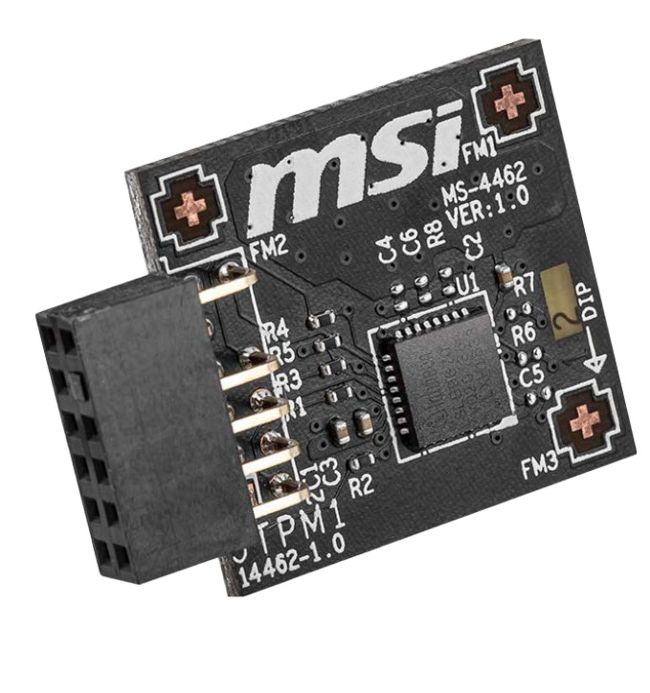
There’s a snag, however. It’s not yet implemented in the preview build, but Microsoft says this new OS will rely more heavily on hardware security features than any before it. Specifically, we’re talking TPM (Trusted Platform Module) 2.0. This can be added to a compatible motherboard with a dongle, or enabled in the BIOS of others. For many self-built PCs, however, it will be a headache. Let’s find out about that, and what else you should do before upgrading.
–IAN EVENDEN
A
© MSI
1
IS YOUR CPU UP TO IT?