EOS S.O.S
Our technical guru is here to help. No Canon conundrum is too big or small. Get in touch today at EOSSOS@futurenet.com
PhotoPlus EXPERT
BRIAN WORLEY
CANON PRO
Brian is a freelance photographer and photo tutor, based in Oxfordshire. He has unrivalled EOS DSLR knowledge, after working for Canon for over 15 years, and is on hand to answer all your EOS and photographic queries
" When reviewing images on camera, autofocus points are normally shown as a square or group of squares, but not seen at all on other images? "
Patrick Johns, Whitchurch
BRIAN SAYS… Autofocus (AF) frames are shown when two conditions are met, the AF points are set to be shown in playback, and one or more of the AF points was in focus when the picture was captured. This can be when the focus lock occurred for One Shot AF. With Servo AF it is possible that the camera didn’t think it had achieved focus, so no AF point is displayed. Also if you use back button AF, it’s essential to be pressing the back button while the shot is taken, so that focus is active and, therefore, the in focus and active AF frames are saved in the image. If you release the back button no AF frames will be indicated, even if the subject is perfectly in focus.
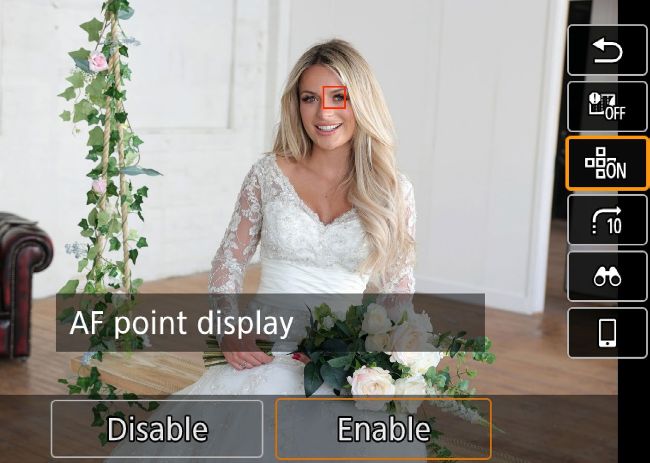
Active AF frames are shown when the AF point display is enabled and if the camera was focusing when the shot was taken
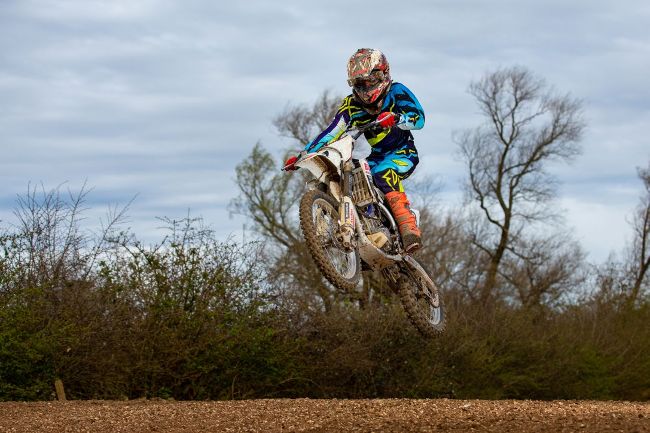
If you choose Auto ISO, it will be set to ISO400 whenever a Speedlite is used, which can affect the ambient light in your shots
" I use Manual exposure mode with Auto ISO, but the exposure is rarely correct if I also use a flash, what’s up? "
Helen Morden, South Shields
BRIAN SAYS… Using Manual mode with Auto ISO is a good way of shooting in daylight conditions: you can select a shutter speed to avoid camera shake and freeze subject movement, plus the aperture required for the depth of field. The camera meters and selects the ISO for a good exposure. When you add a flash on the camera, the ISO value is preset to ISO400. If the Auto ISO setting would’ve been ISO100, then ISO400 results in 2-stop overexposure of the ambient light. If Auto ISO needed ISO1600, it will result in the background being 2-stops underexposed since the daylight and flash are affected by the ISO change. This is a fixed behaviour when using Auto ISO and flash, so you’ll need to take control of the ISO. One option is to use a custom shooting mode (if your camera has them), plus the act of changing modes is a good way to remind you that you need to control the ISO yourself.