UNREAL ENGINE
USE UNREAL ENGINE FOR COMPOSITING
Lance Evans tests out whether Unreal’s much-vaunted new motion graphics tooling can match up against After Effects
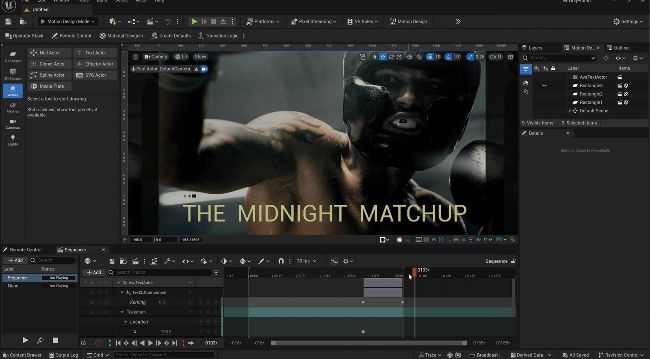
LOOK IN THE MIRROR You’d be forgiven for mistaking the above image as After Effects with a dark theme, but it is in fact Unreal Engine
Images courtesy of Cottonbro /Annushka-Ahuja /
Pexels.com Most of us think of motion graphics and After Effects in the same breath. Not only has it been the world’s most popular mograph and compositing tool, its timeline style of animation control is similar to our common video editing tools. Other compositors such as Flame, Nuke and Fusion are node-based and offer more flexibility. But that process takes a certain frame of mind; even node junkies occasionally get too burned out to deal with it.
This year, we’re seeing a minor exodus of creatives from Adobe, and an increase of creatives moving to Linux, leaving many without any access to Adobe or After Effects. Then there’s the buzz about Epic Games’ new motion designer module for Unreal Engine, and how it’s an After Effects killer.
Any After Effects user will tell you two things: first that the two interfaces are similar; and second that Unreal’s 3D tools blow away After Effects’ implementation. That leaves just one question: how well does Unreal replicate After Effects’ 2D compositing?
While Unreal is a powerful and capable program, like so much high-end software it can be obtuse for new users. Although there’s a lot of hype about the motion graphics module and how much it resembles After Effects, it’s not a replacement yet. But there’s nothing preventing Epic from cleaning up the issues and making Unreal the After Effects destroyer some claim. If your needs lean towards 3D graphics for TV bumpers, commercials and the like, Unreal’s Motion Design could be an excellent tool for you, especially as it develops.