PI CONNECT
All of your Pis are under your control
No one would say Les Pounder has gone power mad, but he’s cackling like a Bond villain now he can control all the Pis.
OUR EXPERT
Les Pounder is a Pi project profesorado and is connected up to 3.14 Raspberry Pis at any one time. He loves maths dad jokes, too.
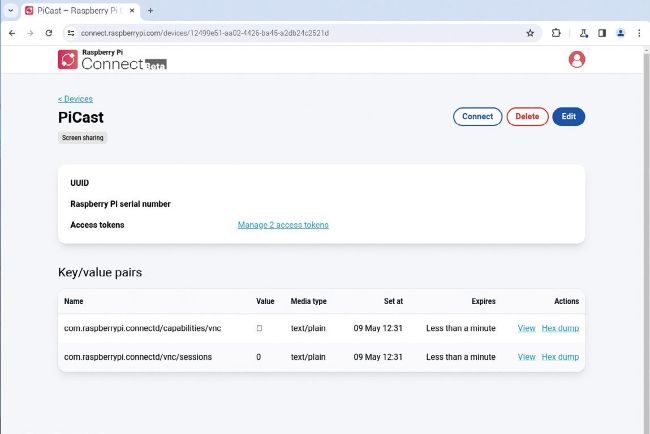
The public front-end to the new service where you can connect to your Pis.
Raspberry Pi has announced Raspberry Pi Connect, its R take on a remote desktop session, like VNC and RDP. The difference with Connect is that it runs from a web browser, so we can be anywhere in the world and log in to our Raspberry Pi back home.
This project only works on Raspberry Pi 4, Pi 5 and Pi 400, as it requires a 64-bit version of Raspberry Pi OS. Other than that, all you need is a network connection for your Pi and this guide to control your Raspberry Pi.
Get up to date
Power up your Raspberry Pi to the desktop and open a terminal. Update and then upgrade the software on your Raspberry Pi. The update command checks your list of installable packages against the latest list on the remote server. The upgrade command then downloads and installs the updates. Using the -y switch automatically accepts the installation all the updates. $ sudo apt update && sudo apt upgrade -y