Save your old PC
Vintage PC options
We look at some alternative web browsers, and summarise the ultra-lightweight distro scene for particularly old systems.
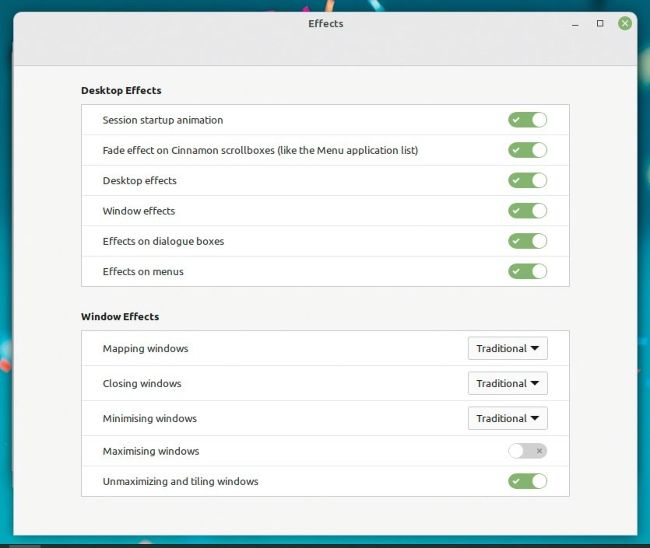
If LMDE’s Cinnamon desktop is laggy and unresponsive, disable some of these options.
Having got LMDE installed on our woefully underpowered EeePC, it became apparent that the machine wasn’t going to be very useful. Except for pandering to our sense of nostalgia. According to Systemd-analyze, it took a minute to boot (as far as the login screen), a far cry from the sub-20s boot times we’ve come to expect. Initial memory usage (as gauged by the free -h command) was 500MB or so. Following the welcome screen’s recommendations, we let it chug through a handful of updates.
The simple act of starting Firefox brought the machine to its knees (kneees? – ed), and even our beloved linuxformat.com took ages to render. And then began the swapping. Our install set up a 1GB swap partition (which is used as memory when actual memory runs low). This made the machine not at all fun to do anything with, and soon we saw applications being randomly closed as out-of-memory (OOM) errors proliferated. Oh, and it still had its original battery, for which a full charge (which took several hours) lasted approximately half an hour.
There are several lightweight web browsers that can mitigate the crawl to some extent, but don’t expect miracles. Some of these are small projects, such as Pale Moon (https://palemoon.org), which don’t have dedicated security teams. And for which there is some lag inheriting security fixes from Mozilla (Pale Moon is a Firefox fork that retains the traditional look but incorporates as many new features and defences as it can). Pale Moon was no use for our hardware, because it stopped doing 32-bit builds some time ago. And it has recently announced that its 64-bit builds will require AVX extensions (part of the -v3 microarchitecture requirements we mentioned earlier). So much for that, then.