Blast off with Linux
Solve problems
In Linux, the best-laid schemes, to decontextualise Robbie Burns, gang aft a-gley. Get yer scheme gang glorious with oor troubleshooting guide.
Part of the fun of Linux is solving problems. Granted, these problems might not be fun when they surface, but if you can fix it (and do so without copying and pasting terminal commands from an ancient forum post) then you might learn something about Linux, your system or the universe.
It’s easy to type error messages, or symptoms into a search engine, and if you’re canny with your search terms this will often land you a solution instantly. Unfortunately, one of the first problems people encounter with Linux (apart from it not booting) is that wireless networking doesn’t work. So it’s always good if you’ve got another computer, a smartphone, or even just a network cable to hand. That notwithstanding, it’s said that in days of yore people managed to solve Linux problems using only an issue of Linux Format.
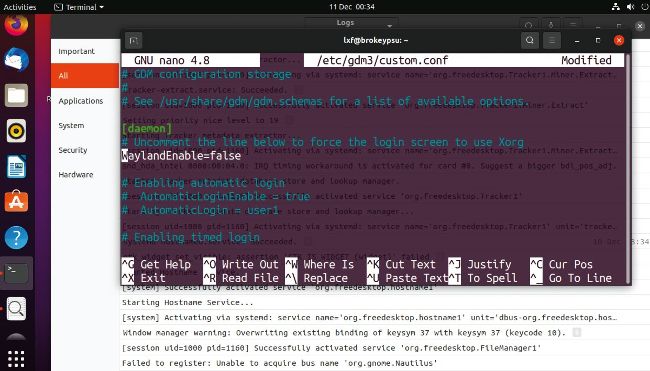
If you have problems with Wayland, uncommenting this setting may help. Note the graphical log viewer, which obviates journalctl’s syntax.
The Linux kernel supports a huge number of wireless devices, and Ubuntu (and many other distros) include lots of the proprietary firmware blobs that previously you used to have to fetch (or graft from Windows drivers in the case of some Broadcom chipsets) yourself. So it’s likely that everything will work out of the box, and you’ll be able to choose a wireless network from the menu in the top right. Also check that wireless is in fact turned on from here. If not, we need to start our detective work by identifying errant hardware. To find out which wireless device you have, open up a terminal and run $ lspci | grep Network