Adding gamepad support to Tetris
Andrew Smith likes nothing better than fitting oddly shaped blocks into oddly shaped holes, and a gamepad makes that much easier…
OUR EXPERT
Andrew Smith is a software developer at NHS Digital, and has qualifications in software engineering and computer networking.
T his month, we going to look at a Tetris project that’s been written in Python, and then add code to support an Xbox One controller. In theory, the code should work with other PC-based compatible controllers, but they’ve not been tested for this tutorial and so may require some adjustments and configuration changes. Your millage may vary!
Before starting this tutorial, we advise plugging your game controller (if you have one) into your computer and making sure that it works with your distro of Linux (we’re using Ubuntu). This tutorial is based on a Tetris project originally created by Luke Arnston – see www.pygame.org/project/133/166.
Tetris, a graphical puzzle game first created in 1984 by Alexey Pajitnov, it has since become available on multiple platforms and implemented using a range of programming languages. One of the most popular platforms that this video game was available on was the Nintendo Game Boy, which was released in the late 80s/early 90s. The Game Boy was a relatively cheap, hand-held device that could be easily packed away and taken and played anywhere.
Tetris involves players creating lines from shapes (Tetronimoes) that descend gradually into the game playing area. These shapes can also be manipulated (moved left to right and rotated) to fit in with other shapes to create a complete line. Once a complete line is created, the line then disappears and the player is awarded points. The game ends when new shapes generated can not descend into the game playing area. The game is deceptively simple to play, and can become maddeningly addictive.
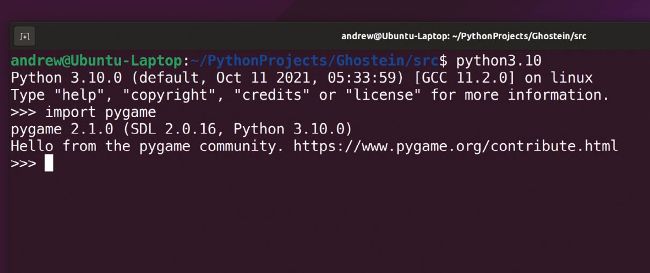
This screenshot shows a successful installation of Python and PyGame, as an example from a previous Linux Format tutorial.
Installation and setup
We’ll install and setup Python 3.10 for the benefit of this tutorial. For those readers who have Python/PyGame already installed, Python 3.8+ should be fine to use with this tutorial. Type the following to install Python 3.10 and PyGame:
Check your versions of python and pygame. Next, git clone from repository: $ git clone https://github.com/asmith1979/lxf292_tetris/