Raspberry Pi streaming
Pi-assisted streaming
Use one of your many spare Raspberry Pis as a remote camera or go crazy and run everything from a Raspberry Pi 4.
W hile we were planning this feature, a little voice at the back of our head muttered, “Can we get a Raspberry Pi angle in?”. It turned out that voice was actually that of our group editor (that’s
Group Editor in Chief, Tech to you – Ed),
and we like to keep him happy. So we’ve come up with a couple of ways to quieten his screams for Raspberry Pi streams.
We’re always looking for new Pi camera projects, so first we reached for our trusty Pi Zero and attached the camera that we used for our motion detection tutorial back in LXF266. Remember that if you’re setting up a headless Pi from scratch, the SSH service is disabled by default. If you’re running wirelessly you’ll need to tell it about that too. This you can do by putting an empty file named ssh and another file full of wireless network info (wpa_supplicant.conf) on the boot partition of your Pi’s SD Card. Then you’ll need to run raspi-config on it to enable the camera in the Interfaces section. Again, a quick search engine query will help you if you get stuck.
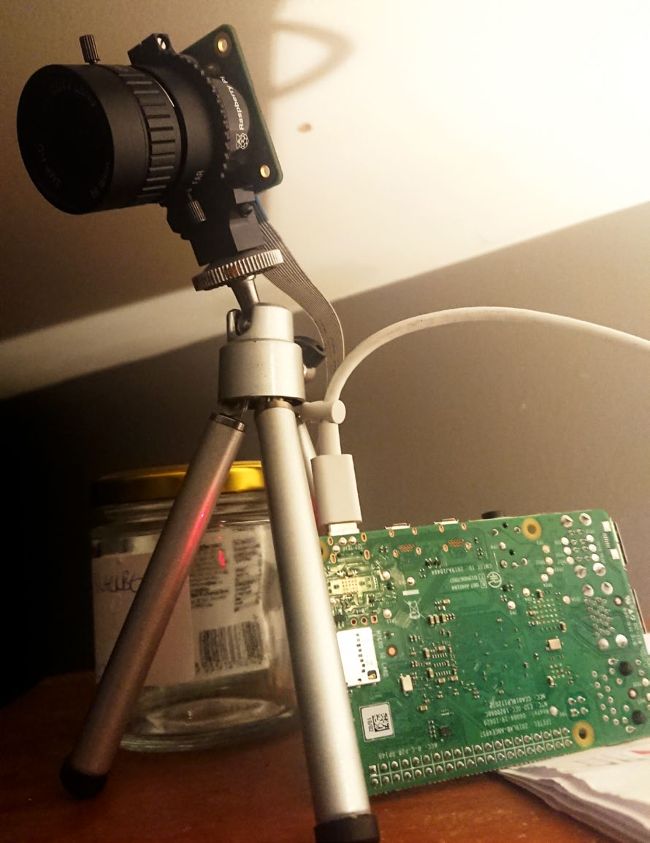
The HQ Camera has a standard tripod mount. Handy because clumsy cabling will easily topple whatever else you balance it with.