Master Safari, Mail & Messages
Using iCloud with these Apple apps keeps data in sync across your devices
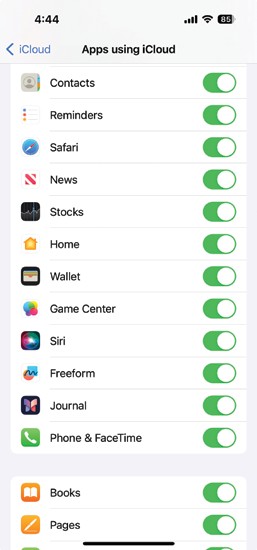
By sharing data over iCloud, you can get more from some of Apple’s key apps.
The iCloud service offers more than cloud storage for files and media. iCloud.com – in Calendar, Reminders, Notes, Contacts and more. By switching on the iCloud option for key Apple apps on both Macs and mobile devices, you can keep this data in sync between your devices. Make a change on one device, and it’s reflected on all the others. We’re concentrating on Safari, Mail and Messages here, but you can also sync data – and make it available on To turn on iCloud for these apps on a Mac, open System Settings/Preferences from the Apple menu, click [your name] > iCloud and then the Show More Apps button. Make sure iCloud is switched on for the apps in question. On a mobile device, open Settings and tap [your name] > iCloud then Show All, and again turn on iCloud for the apps in question.