Perfect your portraits
Discover how to shoot better people pictures in a range locations
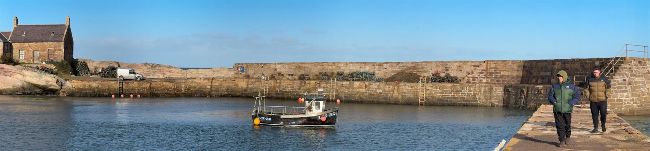
By using the iPhone 15 Pro Max’s 5x Telephoto camera in Pano mode, you can create a panorama without a distorted horizon. The Ultra Wide .5x camera makes horizontal lines looked curved (see next spread).
Your iPhone’s Photos library will be crammed full of shots featuring people pictures. To make sure that you’re capturing friends and family looking their best, it’s worth tinkering with your iPhone camera’s settings and finding the appropriate shooting modes to suit your subjects.
1Formats
To save storage space, your iPhone can capture photos in HEIF (High Efficiency) format. This format captures shots that don’t take up much storage space, but it lacks some of the tonal and colour information in larger JPEG files. If you want to store even more
information about a scene (for more choice at the editing stage), shoot in ProRAW format. This stores images as .DNG (Digital Negative) format files that
you can edit in Apple Photos, as well as in third-party apps such as Adobe’s Photoshop. To choose a format for your photos, go to Settings > Camera > Formats. In Camera Capture, you can choose High Efficiency (to capture HEIFs) or Most Compatible for JPEGs.