macOS
Shine a spotlight on the solutions to your most irritating Mac problems
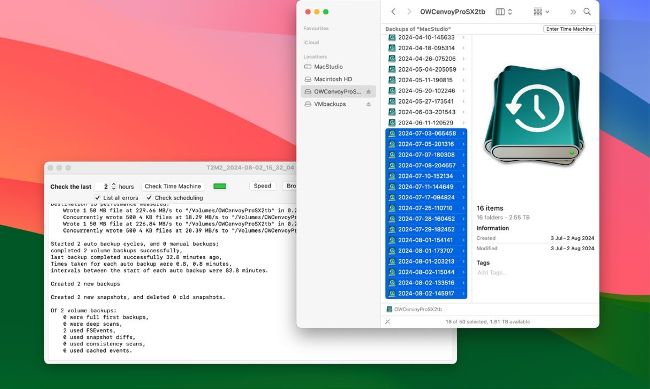
Over the most recent 24 hours, Time Machine should keep hourly backups when available, before thinning them to daily and weekly.
> Time Machine thins its backups
Since my Mac started making daily Time Machine backups to a new drive, I’ve noticed that some recent backups have been deleted automatically
When making backups hourly, Time Machine keeps all of them for the previous 24 hours, together with the hourly snapshots it makes on each volume that it’s backing up. While each of those local snapshots is deleted after 24 hours, Time Machine then thins its backups so that there’s just one kept each day for the previous month, then one each week back to the start of the series.