BUILD A JELLYFIN MEDIA SERVER
Set up your own powerful-and completely free-alternative to Plex and Emby with Nick Peers
ANYONE WHO LOVES
to stream media from their own personal library will have heard of Plex or Emby. Both offer an amazing user experience and powerful features, but they also come with one major pitfall: The need to pay a subscription to access their best features, such as live TV and DVR support, as well as hardware-accelerated transcoding. Those subscription costs can soon mount, but the good news is that there’s a completely free and open-source pretender to their crown coming up fast in the rear-view mirror.
The usurper in question is Jellyfin. Although it only came into existence a mere two years ago—forked from the last open-source release of Emby—it’s developed swiftly into a genuine rival to its established peers, boasting all their best features, including those hidden behind the Plex Pass or Emby Premiere paywall. That’s in no small measure because it’s promised to avoid commercialization, which has in turn attracted a flurry of donations and developers to the project.
Read on to discover what makes Jellyfin a viable alternative to its betterknown peers, and learn all you need to know about setting up and running your own Jellyfin server for the benefit of you, and your household.
GETTING STARTED
As we’ve stated, the obvious reason why you’d want to tear up your Plex or Emby installation and start again with Jellyfin is cost—the latter’s promise to remain free and open source forever instead of chasing the dollar sign means that the features you can enjoy now will never be hidden behind a paywall. That’s all well and good, but surely all this free goodness comes with a catch, right?
Not really: Sure, Jellyfin isn’t quite as polished as its rivals, but all the core functionality is there, and thanks to its origins, you don’t have to reinvent the wheel to switch from Plex or Emby. You won’t need to rename or reorganize any of your existing media collection at all to get the most out of the software—just point Jellyfin to your existing media folders and it’ll do the rest.
Jellyfin’s user interface will— unsurprisingly—be instantly familiar to Emby users, and it doesn’t take much work for Plex users to switch either, although you’ll find that Jellyfin’s UI isn’t quite as intuitive (on the upside, it offers a lot more control). The blue and purple color scheme is fully customizable too, and everything is very pleasing on the eye, with plenty of familiar elements to help you acclimatize to your new environment. One area where Emby and Plex still hold an advantage is with client support, but as the boxout opposite reveals, Jellyfin is closing the gap fast.
LOCAL AUTHENTICATION
One major plus in favor of Jellyfin is that it doesn’t use any cloud-based authentication for users. A Plex.tv account is mandatory for both local and remote connections in Plex, while Emby Connect is required should you wish to open up access to your Emby server over the internet. Jellyfin ditches both in favor of continuing Emby’s original approach: Direct connections to your server, with user profiles set up and managed locally, and no centralized harvesting of your data (or the privacy implications that come with it). On the downside, setting up remote connections requires a more work, but follow our advice in the “Remote Access” box and set up a secure connection for trusted devices through a reverse proxy.
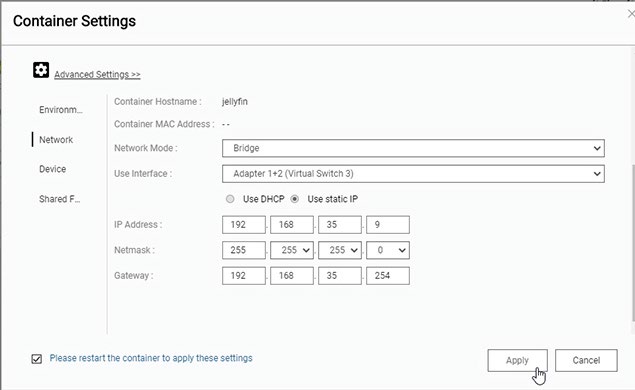
QNAP NAS users should install Jellyfin through Container Station.
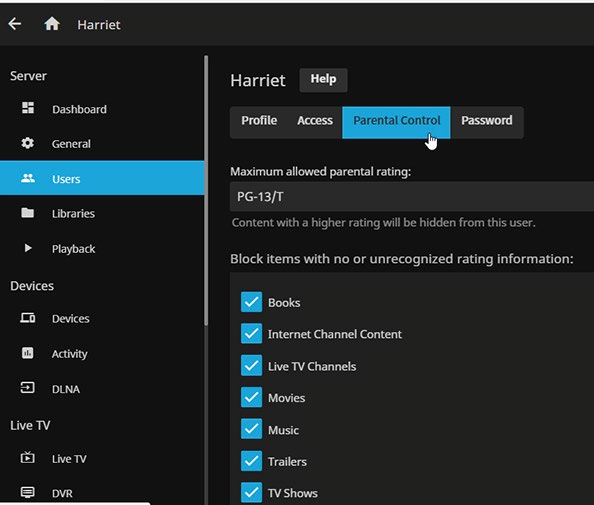
The Dashboard is where you configure all aspects of Jellyfin, including its users.
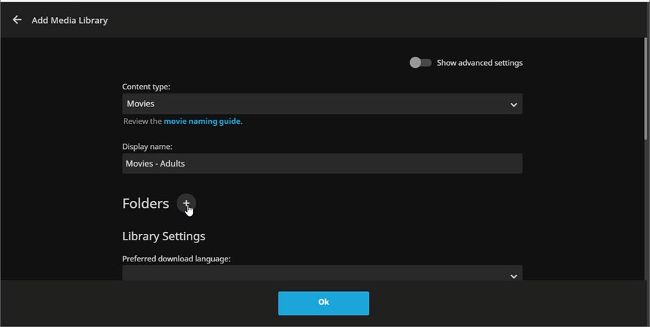
Configure your first media library during setup.
© JELLYFIN
And what about features hidden behind Plex’s and Emby’s respective paywalls? Jellyfin provides support for live TV and DVR—not as advanced as its rivals, but still usable, although you’ll have to subscribe ($25/year) to the Schedules Direct EPG service. It also supports hardware-accelerated transcoding using your server’s graphics card to reduce the burden on the CPU.