the truth about HDR
THE TRUTH ABOUT HDR
Fake technological news or the ultimate visual experience? Jeremy Laird investigates the state of HDR technology on the PC today
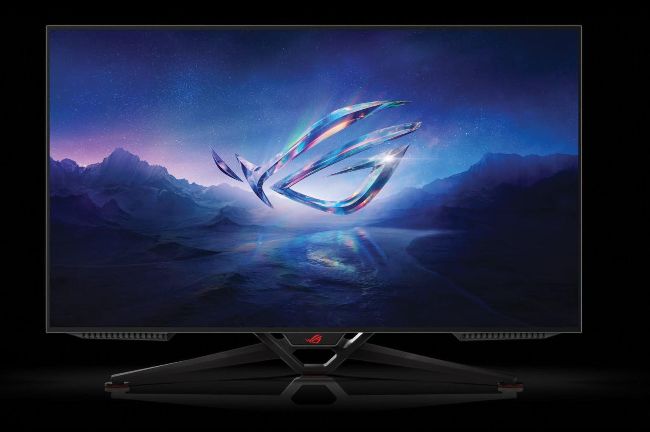
OLED monitors, such as the Asus ROG Swift PG42UQ, offer the best HDR experience.
© ASUS, MICROSOFT, SAMSUNG
BORDERLINE UBIQUITOUS, but a little bit baffling. That’s HDR or high dynamic range image rendering. It’s everywhere, but also quite confusing, especially on the PC. With numerous competing and overlapping standards, all manner of supporting screen technologies, and patchy software support, using HDR on a PC can be a frustrating experience.
Even knowing if HDR is working correctly can be tricky. That’s a particular problem on the PC, given that many so-called HDR monitors can’t actually display HDR visuals. Meanwhile, enabling HDR can do weird things to conventional SDR content and graphics. It’s a patchy experience.
But here’s the thing. When it’s done right, HDR is spectacular. Good enough that once you’ve gone HDR, you won’t want to go back. From eye-popping in-game sizzle to deep, dark moody cinematic thrills, HDR adds a level of realism and immersion that’s quite unlike any other display technology.
That’s why we’ve done the donkey work for you with this comprehensive HDR explainer. Over the next four pages, you’ll learn exactly what HDR is, what standards to look out for, some tips for choosing a good HDR monitor, and how to get HDR set up correctly on your PC for watching HDR video and playing HDR games.
AT ITS SIMPLEST, HDR or high dynamic range refers to any display technology that increases the gap between the brightest and darkest image elements. In other words, an HDR display can display both brighter and darker images than a conventional SDR or standard dynamic range screen. The clever bit is that a true HDR display can go both brighter and darker at the same time, combining both ends of dynamic range in a single image.