Secure your DNS settings
YOU’LL NEED THIS
WINDOWS 11
An up to date installation VPN Subscription (Optional)
THE ORIGINAL DOMAIN NAME SYSTEM (DNS) specifications were published by the Internet Engineering Task Force in 1983. This was a more innocent time, when most internet users were government employees and academics.
As such, there was no provision for encrypting DNS queries. By default, they’re simply sent in plaintext over UDP. Anyone monitoring a user’s connection, such as an ISP, can see every site they visit.
This lack of security and authentication also means that web users can be subjected to ‘DNS Poisoning’, whereby a device is sent the IP address for a malicious site, instead of one for a legitimate domain.
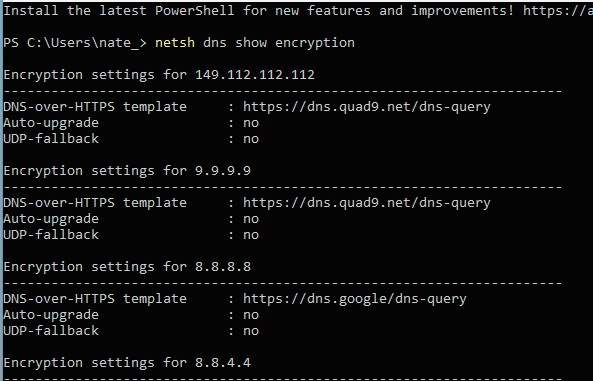
There are several competing standards for securing DNS queries. In this guide, we’ll explore how to enable one of these (DoH) on Windows 11 and, if necessary, in your browser. You’ll also learn how to boost your DNS security through using a VPN and the dark web.
–NATE DRAKE
A
1 ENABLE DOH (DNS OVER HTTPS)
As we’ve learned, by default, all DNS requests are sent to the server unencrypted, meaning that anyone with access to your ISP’s records can see what websites you’ve visited.