WINDOWS 12 WHAT WE WANT
With the next version of Windows likely to land this fall, we present our wishlist of new features—and what old features we want to see the back of
WE LIVE IN HOPE. Hope that Microsoft commits to a full new operating system this fall, rather than yet another feature update, as some predict. But most of all, we hope that Microsoft creates an operating system that solves our frustrations, stops hitting us with ads, and opens up new possibilities.
To come up with our list of most wanted features in Windows 12, we went to the experts—writers and contributors who use Microsoft’s Operating Systems on a daily basis. We’ve grouped their requests under common themes for easy navigation (coincidentally, a much-requested Windows 12 feature), with full names listed at the end of the article.
We also spoke to users, including Lee Grant (see boxout ‘Features: What Needs to Change?’) who runs a PC repair shop and interfaces regularly with frustrated users who need help with common Windows problems.
Will Microsoft deliver? We continue to live in hope.
PROMOTE WINDOWS GESTURES
I used to cry myself to sleep at night because I thought Microsoft had removed the ‘shake to minimize’ gesture, where you grab a title window, shake it, and all the other apps minimize to the desktop. What I didn’t realize is that it had merely hidden the option away: search for ‘Multi-tasking settings’, and you’ll see it there, bold as brass. That’s my problem with Windows gestures: they’re genuine time-savers, but Microsoft has done such an awful job of promoting them that all the onus is on us, the users, to seek them out. Whether people are using mice or touchpads, Microsoft needs to push gestures to the fore in Windows 12.
TD
MAC LEVELS OF COHESION
A common phrase you’ll hear about Apple products is that “they just work”, although the company obviously has the advantage of controlling both hardware and software. Microsoft has attempted to create a more cohesive experience for customers across Android, iOS, and Windows through apps on phones and tablets and its own Phone Link system built into Windows 11. The trouble is, both are afterthoughts. With Windows 12, it has the opportunity to steal ideas from—sorry, be inspired by—Honor and Samsung that detect if a tablet or phone is nearby, and then work out ways to swap files between them, or turn them into secondar y screens.
TD
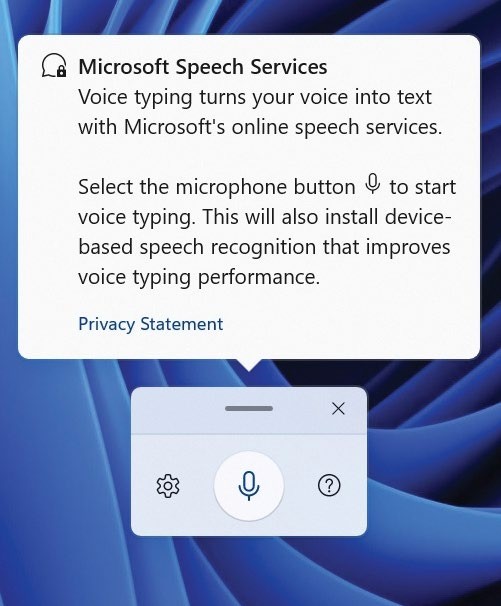
Windows’ voice-typing capabilities should not require calling on the cloud.
A PROPER TOUCH INTERFACE
The Windows 11 desktop isn’t a touch interface. Trying to donk tiny icons on a seven-inch screen is like trying to thread a needle with a climbing rope. Consequently, manufacturers resort to their own overlays in an attempt to try to make the OS usable.
I know we’ve been here before with Windows 8, but Windows really does need both touch and non-touch interfaces, with touch scaling as required to the size of the device. It shouldn’t be beyond the wits of Microsoft to pull this off.
BC

A proper touch interface for Windows is long overdue.
© MICROSOFT, SIMONSKAFAR/GETTY IMAGES
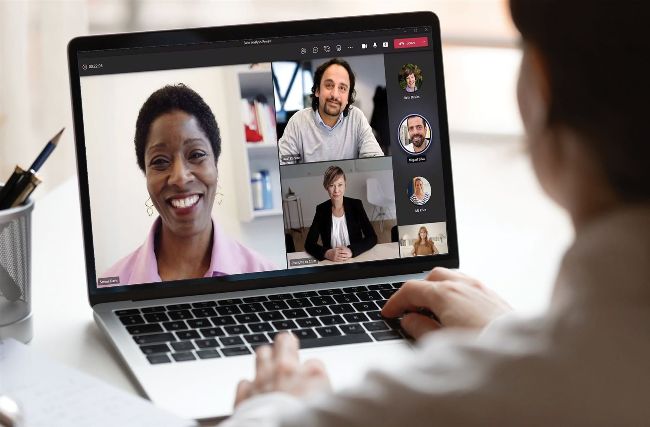
Teams could help users a lot more when a business meeting is interrupted.
BETTER SUPPORT FOR WINDOWS ITSELF
Isn’t it a little strange that Microsoft has effectively outsourced support of its operating system to us? That is, the community of ‘techies’ that have to handle queries from friends and family in a Colombo-style ‘one last thing’ before we head out the door? Perhaps Copilot for Windows 12 will take some of the load, but judging from the absolute piffle that appears most times I’ve ever used Windows’ built-in help, I somehow doubt it.
TD
VOICE TYPING THAT DOESN’T RELY ON AZURE
We trust Microsoft with our data— that’s not why we want to move voice typing from the cloud to our device. This is more about being able to dictate whenever and wherever we are, even if we’re offline.
Products such as Dragon Dictate built names for themselves by handling offline dictation in the pre-cloud era, so it is possible. Granted, Dragon Dictate Professional also benefits from cloud processing and AI in its current form—and cloud processing, whoever the provider, should deliver accurate results that only ever improve as the back end encounters more diverse accents and a wider vocabulary when new users sign up.